
The following guide covers:
What to look for in an LMS for the manufacturing industry?r
Reviewing the best LMS for manufacturing
Which LMS would be the right choice for you?
Though there are hundreds of LMS options available for businesses in the manufacturing industry, there is no one-size-fits-all solution. Most platforms focus on different things. For example, how you organize the learning experience, and how much admin work the system can handle for you.
Some platforms only offer a standard mobile app, while others let you create a fully branded one for your company. So, depending on your training goals, workforce structure, and internal processes, the best LMS for your business can look very different from someone else’s.
To help you sort through the noise, we analyzed a number of platforms and outlined seven LMS solutions that work well for manufacturing companies. We also included feedback and user reviews from different platforms, so you get a more rounded picture of each one.
However, even with all this information, choosing the right LMS can still feel overwhelming. If you want help making the decision, book a free consultation with one of our experts to talk through your goals. And if you prefer to keep exploring on your own, check out our full library of detailed LMS reviews.
What to look for in an LMS for the manufacturing industry?
When it comes to implementing an LMS in the manufacturing industry, you want a solution that focuses on course design flexibility, compliance, operational efficiency, and accessibility on the job.
Most training happens outside of a typical office environment, and the success of a program depends on how well it supports real-world workflows. That is why, when narrowing down the platforms to review, I particularly look for the following:
- Detailed reports and analytics
The system must provide clear data on course progress, completion rates, and compliance status, especially if you operate in highly regulated environments.
- Proper certification functionality
Certification is tied to regulatory or safety requirements, so your LMS must allow issuing custom certificates automatically and allow tracking.
- Mobile learning through the branded app
Since many workers do not have daily access to desktop computers, your LMS should offer a mobile app that allows them to complete training easily.
- Automation in enrollments, notifications, and calendars
To reduce administrative burden and human error, the platform should handle repetitive tasks like assigning courses, sending reminders, creating calendars, and much more.
- Blended learning
LMS should support both online modules and in-person sessions, with tools to schedule, track, and combine the two into one learning experience.
Reviewing the best LMS for manufacturing
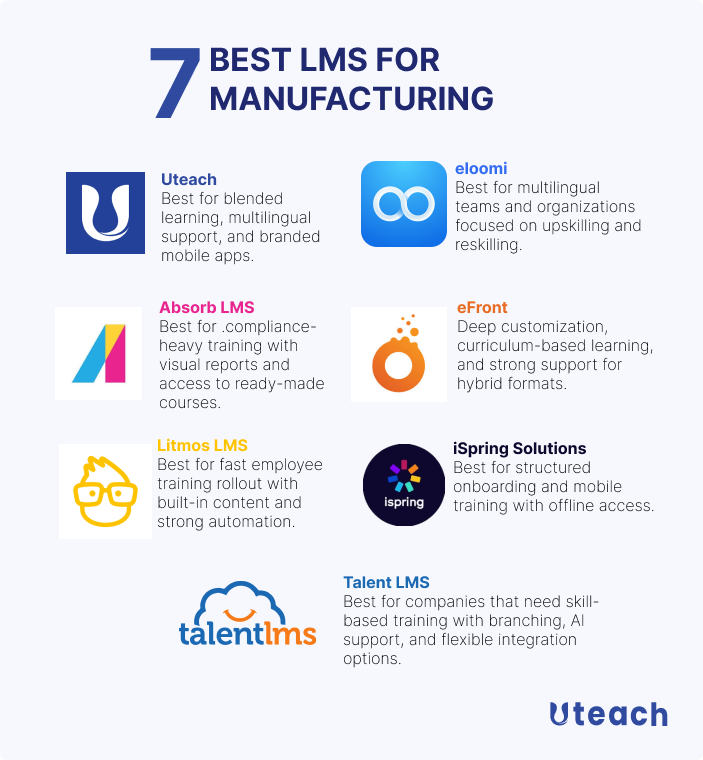
Before we go into details on how each LMS solution handles course content, delivery, user management, tracking, and automations, here is a quick overview of the best LMS for the manufacturing LMS we discuss in the article.
Uteach
Uteach is an all-in-one LMS that allows manufacturing companies to build their own branded training hubs with course creation tools, live sessions, and automation built in. It is a good fit for organizations that want to run internal training programs.
With Uteach, you can deliver training in different formats, whether you prefer self-paced video lessons, live instructions, or blended learning. The AI-powered tools make it easier to create structured training by generating outlines and course descriptions, which helps save time during setup.
You can organize your training content into categories and define how employees should move through the material. Once the learner completes the course and meets your requirements, they will automatically receive a certificate.
There is a branded mobile app, which makes it easier for frontline workers and technicians to complete training even when they do not have access to a computer.
In terms of assessment, Uteach offers advanced quizzing tools with various question types and gives access to detailed reports.
Key features for your organization
- Opportunities for role-based training
- Localization into 30+ languages
- Easy training and data management with tags, categories, and filters
- Mobile app and branded mobile app available
- Progress reports with filtering and exporting options
- GDPR-compliant
- Social learning with communities
What users think
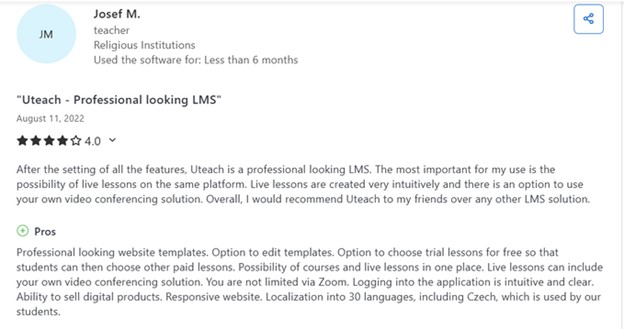
Users describe Uteach as exceptionally easy to use with an intuitive interface and fast setup. They praise its customizable, professional-looking templates and white-label opportunities. Others emphasize that they like how they can track learner progress, the support for both on-demand and live training, and handling quizzes in different styles.
Also see: Uteach Review
Absorb LMS
Absorb LMS is a strong option for manufacturing companies that prioritize safety, regulatory training, and workforce development across different departments or job roles. It offers a library of courses that also include OSHA, ISO, EPA, HACCP, and FDA training.
The platform also supports extended learning for contractors or external partners, and it works well for upskilling or cross-training the employees. Absorb LMS comes with AI features that help structure course content and assist in research, which is useful when creating training for technical or regulated topics.
One thing I liked about this LMS is how progress and performance data are presented. Reports are highly visual, and you can monitor compliance status and learner performance across different teams.
Key features for your organization
- A library of ready-made courses with industry-specific content
- Supports social learning and provides gamification opportunities
- Integrates with ERP and HRMS tools
- AI-powered customization for the training programs
- Mobile-friendly, allows learning on the go
- Opportunities to set skills and cross-train the employees
What users think
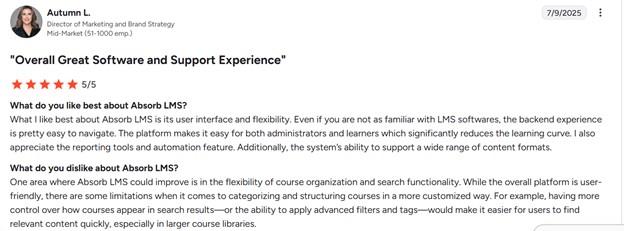
Most reviewers say Absorb LMS is simple and clear to use for both admins and learners. They like that the interface is clean and easy to learn, the platform feels solid and flexible, and it has strong reporting and tracking tools.
On the downside, some users say it can be tedious when managing a big course library because there are limited bulk editing tools, and others feel that more advanced reporting features come only with paid add-ons.
Also see: Absorb LMS Review
Compare Absorb LMS with other LMS
iSpring Learn
iSpring Learn fits well into manufacturing environments where you need to manage safety, compliance, sales training, and onboarding across multiple roles and locations. It allows you to assign training materials based on employee roles, departments, or skill sets.
The platform integrates with both HRIS systems and eLearning libraries, so you can pull in existing content and keep your training aligned with organizational records. You can automate the training by assigning courses, sending reminders and tracking deadlines.
iSpring Learn offers a mobile app with offline access, so the learners cownload courses and materials to their devices and access them without an internet connection. You can go with their cloud or on-premise solution, depending on the deployment method you prefer.
Key features for your organization
- Supports content of different types, such as SCORM, presentations, videos, documents
- Easy user management based on roles, departments, and custom groups
- Detailed reports on the learner’s performance, as well as content
- 360-degree feedback process implementation
- Integration with the systems you use in the organization via APIs
What users think
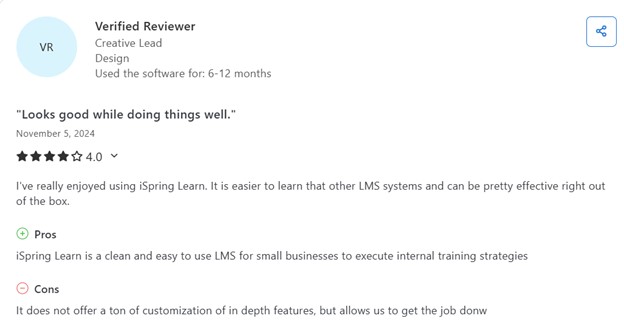
Most users find iSpring Learn easy to use, especially when managing courses.
They appreciate the smooth integration with PowerPoint and other iSpring tools, which helps them build interactive content quickly. Customer support is often described as responsive and helpful. Users also like the clear interface compared to other platforms.
However, several users mention drawbacks such as limited customization for user profile fields and a lack of discussion forums.
Also see: iSpring Learn Review
Compare iSpring Learn with other LMS
Litmos LMS
Litmos LMS supports multiple types of training formats, including instructor-led sessions, virtual instructor-led training, and self-paced learning. It works in both online and offline environments, which makes it suitable for manufacturing teams that operate across different locations or shifts.
You can use it to manage various types of training, including onboarding, compliance, employee development, customer education, and training for deskless workers. It includes gamification features to keep employees engaged during the learning process, especially when dealing with repetitive or regulation-heavy material.
The platform comes with an AI assistant designed to support learners directly. It can provide summaries, explain key content, and help users navigate the materials more effectively. There is a built-in course authoring tool, but it also allows you to bring in your existing eLearning materials.
Litmos integrates with popular CRM and HRIS systems, and also connects to over 50 other tools through API. This flexibility makes it easier to manage training in line with other business processes.
Key features for your organization
- A library of ready-made courses, including those on the topics of health, safety, and process regulations
- Generative AI assistant
- Support eLearning, VILT, and ILT training for external audiences
- Gamification opportunities with leaderboards, badges, and certificates
- Interactive video content
- Manager insights dashboard to evaluate the employee's progress
- Mobile training opportunities with the mobile app
What users think
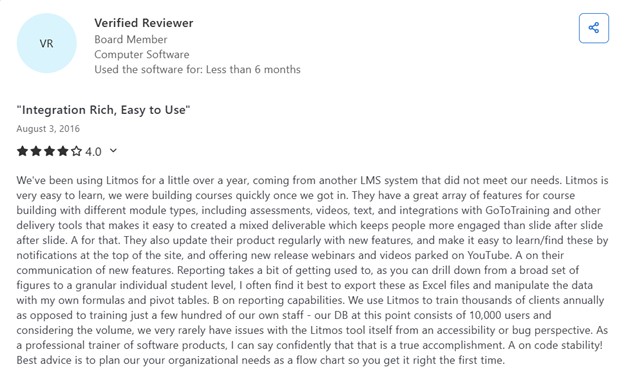
Most of the reviews on Capterra for Litmos LMS say it is easy to use and quick to learn, as both a learner and an admin. People like the clean interface, simple course creation, integration features, learning paths, assessments, reporting tools, and the ability to brand and automate processes.
On the downside, some report that there is a difficulty in making bulk admin changes like updating certificates or moving users between teams.
Also see: Litmos LMS Review
Compare Litmos LMS with other LMS
Eloomi
Eloomi is suitable for manufacturing companies that need to manage training for different groups, including employees, partners, and customers. It covers key use cases such as onboarding, upskilling, and reskilling, and supports structured learning programs that help map required skills and set clear learning paths.
The platform comes with a built-in course library that includes region-specific and industry-specific content. It also offers multilingual support, making training more accessible across diverse teams and international locations.
Eloomi integrates with over 40 HRIS systems to streamline user management, and it also allows employees to access external training content from LinkedIn Learning and Microsoft Office tools through direct connections.
There is an AI assistant built into the platform that helps with translating course content, generating quizzes, and assisting in content creation. Automated reporting tools provide relevant insights for different stakeholders, including team leads, HR managers, and compliance officers.
- Supports 14 languages for the training
- Interactive training with blended learning opportunities
- Mobile training is available via a mobile app for iOS and Android
- Detailed reports on performance for individuals and groups
- 40+ HRIS and SSO integrations
- Eloomi AI to use for content generation nd background work
- Custom certification after completing the training
What users think
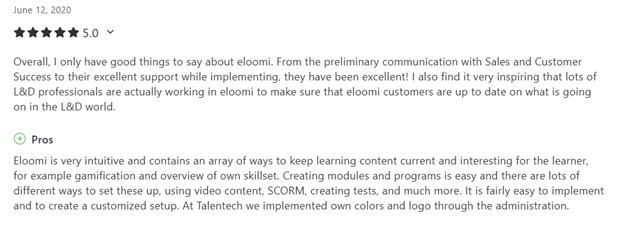
Most reviewers on the Capterra page for eloomi highlight how easy it is to use and manage, from drag‑and‑drop course creation to clear admin and learner workflows. They say implementation is rapid and intuitive, and deployment is smooth.
Users also like learning paths, gamification, reporting tools, and that both L&D and performance management are handled in one platform.
On the other hand, other users would prefer a more modern look on the platform and wish for more flexible customization.
eFront
eFront is a flexible LMS that supports manufacturing companies in managing compliance, onboarding, and continuous employee training. It allows you to run hybrid learning programs by combining self-paced online courses with instructor-led sessions.
The platform supports structured learning through curriculum management. You can assign related courses to individuals or groups based on job roles or departments. There is also support for gamification, including points and leaderboards, which helps keep employees engaged, especially during longer training programs. eFront includes an AI assistant that can generate quizzes and help with course content creation.
For content, the system supports SCORM, xAPI, and HTML5 standards, so you can bring in your existing learning materials. If you already use third-party content, you can upload and manage everything directly within the platform.
The students can access the training via the native mobile app, including offline mode. eFront also integrates with calendar tools, content systems, and other business software through API.
Key features for your organization
- 800 ready-made courses from the Talent Library
- Multi-tenant and secure portal with 2-factor authentication, IP whitelisting
- Custom reports based on the users or actions in the portal
- Custom certificates upon course completion
- Learning paths to assign courses based on the roles and branches
- Multilingual support for 20 languages
- Native mobile app for mobile training opportunities
What users think
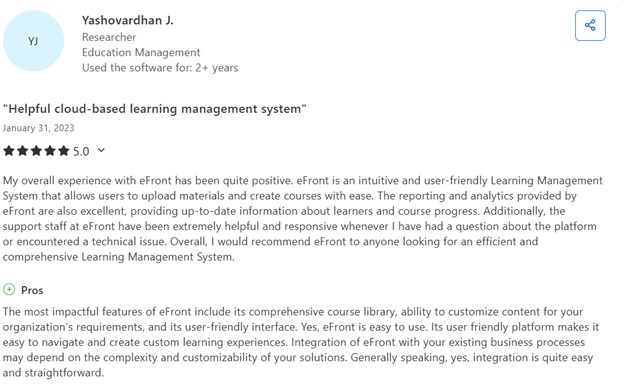
Most users on the Capterra eFrontPro review page say the platform delivers strong value, powerful customization, and comprehensive reporting and training management. They like how easy it is to implement, the flexibility to tailor UX, and the affordability compared to enterprise LMS options.
Many highlight excellent analytics, drag‑and‑drop course building, gamification, and support for single sign-on in enterprise use cases.
On the other hand, users point out that the interface can feel outdated and navigation can be clunky, and non‑technical implementation often requires engineering support.
Talent LMS
TalentLMS is a practical choice for manufacturing companies that need to manage employee training, onboarding, compliance, and partner education from a single platform. It supports skill-based learning, which means you can identify gaps in employee knowledge and assign relevant training based on specific skills. The system uses AI to help map those skills and build targeted learning paths.
The platform supports multiple content types, including SCORM, cmi5, and xAPI. This gives you the flexibility to reuse existing materials or bring in third-party training.
For managing users, TalentLMS offers branching. This allows you to organize teams by location, department, or job function, which simplifies access control and course assignments. Reporting is detailed and includes timeline views.
It integrates with several HR and conferencing tools, including BambooHR, Salesforce, and GoToMeeting. You can also connect it with other systems using Zapier, which gives you more opportunities for automation.
Key features for your organization
- Multinllingual support for 40+ languages
- GDPR-friendly
- Access to a library of ready-made courses with subscription
- Opportunities to use generative AI for create the courses and course materials
- Guided learning paths
- Detailed gamification options with points, levels, rewards and leaderboards
- Certification options with automated recertification
- Mobile learning available via a native app available for iOS and Android
What users think
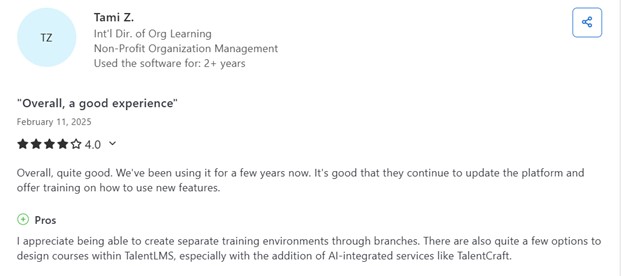
Most reviewers on the Capterra TalentLMS page say it is very user‑friendly and simple to set up, with drag‑and‑drop course creation, support for SCORM, xAPI, and cmi5 content, and easy setup of branches to maintain separate learning environments.
Many highlight that reporting tools are useful for tracking progress and timelines, even though some warn that metrics like time‑on‑task and detailed analytic ares.
Others report that the admin UX feels clunky when managing quizzes or bulk user assignments.
Also see: Talent LMS Review
Compare Talent LMS with other LMS
Which LMS would be the right choice for you?
As you can see, each platform in this list serves a slightly different focus.
- Uteach is best for companies that want a branded training hub with strong blended learning and automation tools.
- Absorb LMS stands out for compliance-heavy training with visual reports and access to ready-made courses.
- iSpring Learn works well for structured onboarding and mobile training with offline access.
- eloomi is suitable for multilingual teams and organizations focused on upskilling and reskilling.
- eFront offers deep customization, curriculum-based learning, and strong support for hybrid formats.
- TalentLMS is a good fit for companies that need skill-based training with branching, AI support, and flexible integration options.
If you are looking for a platform with multilingual support, blended learning options, and the ability to launch your own branded mobile app alongside all the core LMS features, consider Uteach. Book a free consultation to discuss how Uteach can support the unique goals and training needs of your company.


