
The following guide covers:
How I selected the customer training platforms
Top customer training platforms
The best customer training platform for you
When customers struggle to understand a product, the consequences are immediate: lower adoption, higher churn, and rising support costs. What begins as confusion quickly becomes a business challenge. Today, forward-thinking teams know that customer education isn’t just support, it’s strategy. And choosing the right training platform is key. If you're asking which customer training platforms can truly move the needle for your business, you’ll find the answers here.
In fact, companies that implement structured customer training programs see real business results:
- 56% stronger retention,
- 16% fewer support requests,
- 7% lower support costs,
- 38% increase in product adoption,
- 26% boost in customer satisfaction.
How I selected the customer training platforms
Choosing the right customer training platform feels overwhelming, given the vast number of solutions available. To bring you this curated list, I focused on platforms that excel in key areas vital for successful customer education initiatives. My selection criteria prioritized:
- Dedicated customer training features: I looked for platforms explicitly designed to serve external audiences, with features like multi-tenancy, white-labeling, and strong integration capabilities with CRMs and support tools.
- Scalability and performance: The ability to support a growing number of learners and content without compromising performance was crucial.
- Engagement and personalization: Platforms offering dynamic content delivery, personalized learning paths, and interactive elements scored highly.
- Analytics and reporting: Robust reporting on learner progress, content effectiveness, and business impact was a key differentiator.
- Ease of use and implementation: While some platforms have a steeper learning curve, we considered overall user experience for both administrators and learners.
These platforms represent a diverse range of solutions, each with unique strengths to address various organizational needs, from small startups to large enterprises.
Top customer training platforms
Below, we examine the leading platforms, highlighting where each one shines, what specific use cases it best serves, and what potential trade-offs to consider.
Uteach
Best for:
Small and mid-sized businesses that want to deliver branded, interactive customer training, quickly and without relying on IT. It's especially useful for lean teams who need something intuitive but still powerful.
Why I included it:
While researching and comparing these platforms, I was specifically looking for tools that don’t just check technical boxes but actually make customer education easier to launch and scale. Uteach is not as widely known as some of the big enterprise tools, but for teams that want to build their own branded academies with minimal friction, this is a strong contender. It’s also one of the few tools I found that balances affordability with features like live sessions and full white-labeling.
Key features & what makes it stand out:
Uteach is an all-in-one platform that brings together everything needed to launch a customer training program: course creation, live sessions, branded websites, and e-commerce tools. There’s no need to stitch together multiple systems. It’s especially effective for onboarding workflows, product tutorials, or high-touch support sessions where live interaction matters.
Customer training features:
- All-in-one builder: Courses, live webinars, quizzes, payments—all built into a single dashboard.
- Strong white-labeling: Full brand control with custom domains and branded interface options.
- Live training tools: Built-in webinar functionality for direct engagement with customers.
- Multilingual & SEO support: Helps make your content globally discoverable and accessible.
Pros:
- Easy setup, even for non-technical teams.
- Fully branded experience
- Built-in live session support works well for onboarding and coaching.
Cons:
- No gamification options
- Less suited for compliance-heavy corporate training.
G2/Capterra rating: 4.7 out of 5 (110 reviews)
Also see: Uteach Review
What users say:
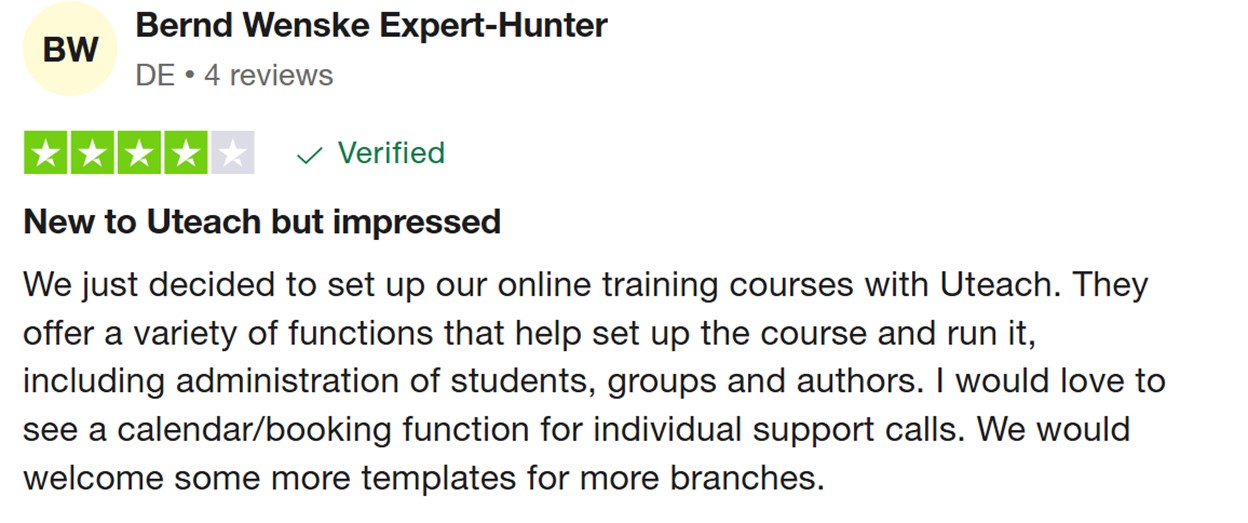
Most users echo that Uteach is incredibly simple to use and makes it easy to launch a branded academy fast. It’s frequently praised for its responsive support team and intuitive interface. A few users mention wanting more out-of-the-box integrations or design templates, but overall, it delivers strongly on the promise of a no-fuss, fully branded training platform for external users.
D2L Brightspace
Best for:
Large companies and organizations in regulated industries, like healthcare, finance, or government, where detailed access control and compliance are critical.
Why I included it:
Brightspace stood out for its strong structure and focus on serious training environments. It was originally built for schools and universities, but now it's used by businesses that need advanced learning features. If your team has complex customer training needs or must follow strict industry rules, Brightspace can be a great option. It's not the simplest tool to start with, but it offers a lot of control and flexibility.
Key features & what makes it different:
Brightspace helps companies train customers in a structured and secure way. It offers learning paths that adjust based on each user’s performance, detailed access permissions for different types of users, and strong reporting. It’s also built to handle large-scale programs across different teams, products, or regions.
Customer training features:
- Adaptive learning: Training adjusts based on how each customer performs, helping them stay on track.
- Role-based access: Control exactly who sees what content—useful for training different user types or regions.
- Compliance-friendly: Built-in support for SCORM and AICC standards, with full audit trails.
- Advanced reporting: Track progress, course completion, and identify areas where customers need help.
- Enterprise integrations: Works well with tools like Google Workspace and Microsoft.
Pros:
- Great for industries with strict training or documentation needs.
- Personalized learning paths improve content relevance for each customer.
- Powerful tools for building structured, detailed courses.
Cons:
- Takes time to set up and learn—some internal expertise is usually needed.
- Extra features and integrations increase the overall cost.
- Fewer language options than some global-focused platforms.
Pricing: Brightspace follows a custom pricing model. Based on publicly shared estimates, it can cost around $30,000 per year for 500 users, but actual pricing depends on scale, features, and required modules.
G2 rating: 4.4 out of 5 (608 reviews)
What users say:
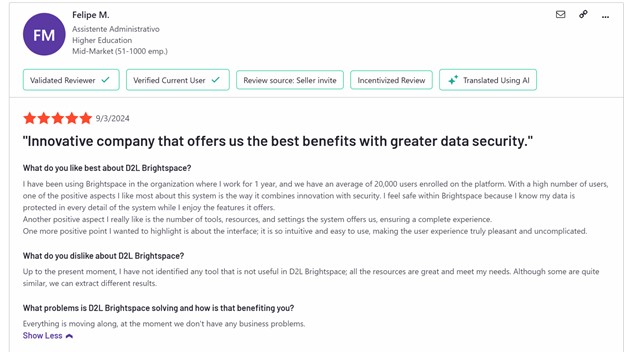
Many users say Brightspace is very strong once everything is set up. They like how flexible and powerful it is, especially when they need to prove that training happened or meet compliance rules. However, several users mention that getting started can feel overwhelming because of the many features and settings. It works best for teams that have the resources to manage a more advanced tool.
TalentLMS
Best for:
Small to mid-sized companies that want to launch customer training quickly and easily—without needing a complex setup or technical support.
Why I included it:
I was looking for platforms that are both simple and reliable, and TalentLMS fits that description well. It’s one of the most user-friendly tools out there, which makes it ideal for fast-moving teams that need to train customers without delays. It's especially useful for growing businesses that want to offer a branded training experience and maybe even sell their courses online.
Key features & what makes it different:
TalentLMS focuses on ease of use and quick setup. It includes course creation tools, gamification elements, and e-commerce features, making it a good fit for both free and paid training programs. You can also create separate portals for different audiences and customize them with your branding.
Customer training features:
- Easy course builder: Create training content with drag-and-drop tools and multimedia support.
- Gamification & certifications: Add badges, points, and certificates to keep learners engaged.
- E-commerce support: Sell your courses directly from the platform.
- Branded portals: Create separate, fully branded training environments for different customer groups.
- Basic analytics: Track learner progress and course completion.
Pros:
- Very simple to use for both admins and learners.
- Fast to set up—ideal for small teams with limited time or resources.
- Includes gamification tools to increase engagement.
- Offers strong value for its price, with flexible plans.
Cons:
- Reporting features are limited for complex analytics or ROI tracking.
- Lower-tier plans have fewer customization options.
Pricing: TalentLMS offers flexible pricing plans based on active users. A free plan is available for up to 5 courses and 10 users. Paid plans start at around $119/month (billed annually or monthly), making it accessible for small to mid-sized teams.
G2 rating: 4.6 out of 5 (781 reviews)
What users say:
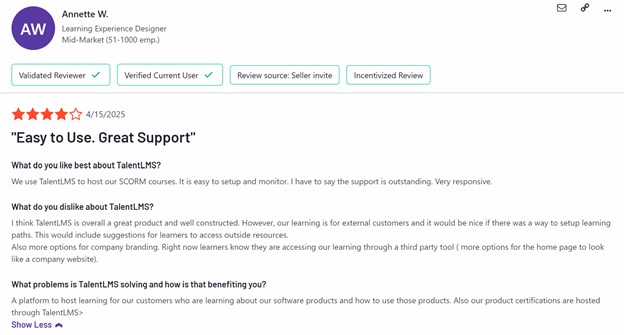
Users often describe TalentLMS as “easy to get started with” and “perfect for launching quickly.” The interface is clean, and the setup process is fast. Many teams also appreciate how affordable it is compared to larger platforms. However, some mention that the analytics can feel too basic, and larger organizations may eventually outgrow its capabilities. Still, for customer training teams that want a smooth and affordable experience, it’s a solid option.
Docebo
Best for:
Large companies and global teams that need a powerful, scalable platform to train customers, partners, and external users, especially when automation and personalization matter.
Why I included it:
Docebo stood out in my research as one of the most feature-rich platforms available. It’s built for scale and flexibility, and it offers strong AI-powered tools that help personalize training at a high level. This makes it a good choice for companies running complex customer training programs across multiple products, languages, or partner channels.
Key features & what makes it different:
What sets Docebo apart is its use of AI to improve the learning experience. It suggests content, personalizes learning paths, and helps admins automate many tasks. It also integrates well with CRMs, support tools, and marketing systems, which is a big advantage for aligning customer training with the rest of your business operations.
Customer training features:
- AI-powered recommendations: Learners get content suggestions based on their behavior and role.
- Personalized learning paths: Create custom journeys based on user type, skill level, or previous progress.
- Third-party content marketplace: Access external training content or mix it with your own.
- CRM & system integrations: Works with tools like Salesforce for syncing training with customer data.
- Multi-domain portals: Launch different branded academies for various customer or partner segments.
Pros:
- Strong AI tools for personalization and content discovery.
- Scales easily for global teams and external audiences.
- Good integration options for automating customer workflows.
- Supports blended learning (self-paced + instructor-led).
Cons:
- Setup and customization can take time and skilled admins.
- Higher cost compared to simpler platforms.
- Some users report limits in analytics customization, especially in AI modules.
Pricing:
Docebo offers enterprise-level custom pricing. Final costs depend on features, number of users, and support level. Based on public estimates, it’s generally positioned as a premium solution and requires budget planning, especially for teams adding AI modules or advanced integrations.
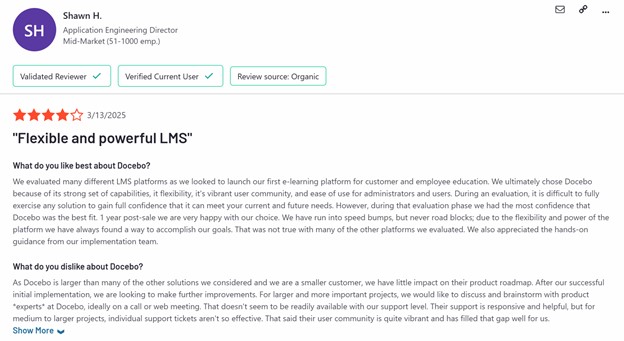
G2 rating: 4.3 out of 5 (663 reviews)
Also see: Docebo Review
What users say:
Users often praise Docebo’s flexibility and advanced feature set. Its AI-driven suggestions and ability to handle large training programs are seen as big strengths. However, many also point out that the platform has a learning curve, and getting everything configured the way you want may take time. It’s best suited for teams that have resources and want a long-term solution that can grow with their customer training needs.
EducateMe
Best for:
Teams that want to deliver structured, interactive training in a cohort format, especially when peer learning, community, and discussion are important.
Why I included it:
EducateMe caught my attention because it’s one of the few platforms focused specifically on cohort-based learning. Most customer training tools are built for self-paced modules, but if your product or onboarding strategy works better in a live, collaborative setting, this platform offers a fresh and well-designed approach. It’s especially suitable for programs that value conversation, assignments, and shared learning journeys.
Key features & what makes it different:
EducateMe combines intuitive design with tools that support group learning. Customers can move through a program together, interact with each other, and complete assignments that feel more like guided experiences than static courses. It also offers useful automation and progress tracking, which helps reduce admin work for trainers.
Customer training features:
- Cohort-based learning: Customers join shared programs and move through content together.
- Discussion & assignments: Tools for structured tasks and conversation, promoting deeper engagement.
- Clean, modern interface: Intuitive for both admins and learners, similar to tools like Notion.
- Automation: Simplifies onboarding and reminders with pre-set rules.
- Progress tracking: See where each learner is and follow up as needed.
Pros:
- Excellent for creating community-focused customer learning.
- User-friendly design with minimal learning curve.
- Helpful for structured programs like onboarding cohorts or pilot groups.
- Fast and supportive customer service.
Cons:
- No dedicated mobile app (though mobile web works well).
- Fewer compliance and gamification features than traditional LMSs.
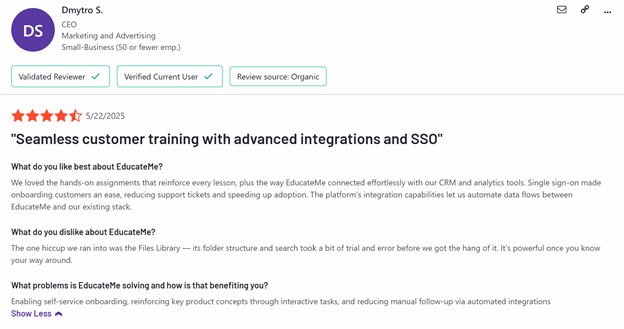
- Search and file management tools could be more advanced.
Pricing:
EducateMe operates on a pay-per-active-user model. Starts at $150/month for up to 50 active learners. After that, it’s $3 per additional active user/month. Plans tier up to a “Pro” ($240/month for 80 users), and then there's an enterprise level for larger programs
G2 rating: 4.7 out of 5 (11 reviews)
What users say:
Users like how clean and collaborative the platform feels. Many mention that it helps them build a stronger connection with customers thanks to peer interaction and live discussion. Admins also appreciate the smooth UI and automation for routine tasks. The lack of a mobile app and some limitations in search functions come up, but overall, EducateMe is praised for turning training into a shared experience, not just a one-way course.
Gainsight Customer Education (Northpass)
Best for:
Customer success teams, product-led growth companies, and organizations that focus on connecting customer training to real business outcomes like adoption, retention, and fewer support tickets. It’s especially useful for those already using Salesforce or similar CRMs.
Key features & differentiators:
Gainsight Customer Education (previously known as Northpass) is designed specifically for customer-facing training. Its main advantage is how well it connects to customer success tools and CRMs. This allows you to automate course assignments based on customer data, track training’s effect on customer health, and create a smoother experience across the entire customer journey.
Customer training features:
- CRM integration (Salesforce, etc.): Automates customer enrollment, tracks progress, and connects training data to customer health scores.
- Outcome-based reporting: Helps measure the impact of training on product adoption, retention, and support costs.
- Personalized learning paths: Build custom courses for different customer segments, roles, or product levels.
- White-labeling & branding: Customize your customer academy for a fully branded experience.
- Simple course authoring: Makes it easy to create and update content.
Pros:
- Focused on connecting training to real business outcomes.
- Strong integrations, especially with Salesforce and Gainsight.
- Simple to use for both course creators and admins.
- Scales well for growing external training programs.
- Supports automated onboarding and adoption workflows.
Cons:
- Mostly specialized in customer training, not internal L&D.
- Community features are basic.
- Reporting customization is limited compared to some larger LMS platforms.
- Layout and design changes can take time.
Pricing:
Custom pricing based on the number of active learners, needed features, and integration level. Positioned as an enterprise solution.
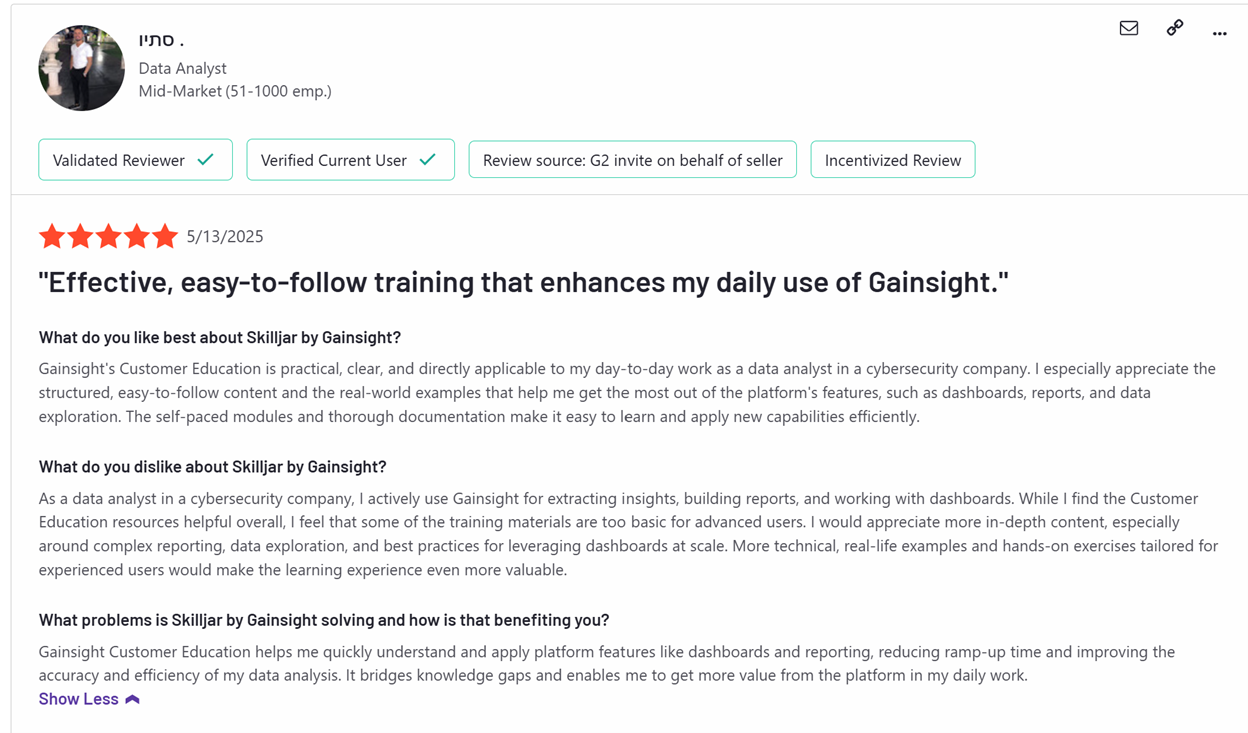
G2 rating: 4.6/5 stars (382 reviews, listed as “Skilljar by Gainsight”)
What users say:
Reviews often mention how the Salesforce integration helps automate processes and track results. Teams like the simple course creation tools and appreciate how training connects directly to customer success goals. Some mention wanting more flexible reporting or stronger community features, but overall, feedback focuses on its value for automating customer onboarding and scaling education programs.
Absorb LMS
Best for:
Enterprises and growing businesses that need a sophisticated yet easy-to-use LMS, with strong branding, detailed reporting, and flexible integrations for customer and partner training.
Why I included it:
Absorb LMS stood out for combining a professional, branded learning experience with powerful admin tools. It’s designed to help companies deliver customer training at scale, while still being intuitive for end users. The focus on customization and integrations makes it a good fit for businesses that need flexibility and control over their external training programs.
Key features & what makes it different:
Absorb LMS offers a modern, personalized interface for learners, alongside AI-powered content suggestions and deep customization options for branding. Teams can manage both internal and external training easily, using built-in e-commerce tools to monetize programs, and strong reporting to track results.
Customer training features:
- Modern learner interface: Clean, intuitive design with personalized content recommendations.
- White-labeling & branding: Full customization of the customer experience.
- E-commerce tools: Built-in course selling and payment management.
- Advanced reporting & analytics: Insights on learner behavior, course success, and business outcomes.
- Flexible integrations: Connects with CRMs, HR systems, and other tools for streamlined management.
Pros:
- User-friendly experience for both learners and admins.
- Strong branding and customization options.
- Supports both internal and external training programs.
- Scales well for large audiences.
- Good customer support and success management.
Cons:
- Setup can be complex and time-consuming.
- Some advanced features come at an additional cost.
- Reporting can require effort to generate deeper insights.
- Certain workflow and content creation areas have feature limitations.
Pricing:
Custom enterprise pricing. Costs are typically based on the number of active users, required features, and implementation needs. Often positioned as a premium solution.
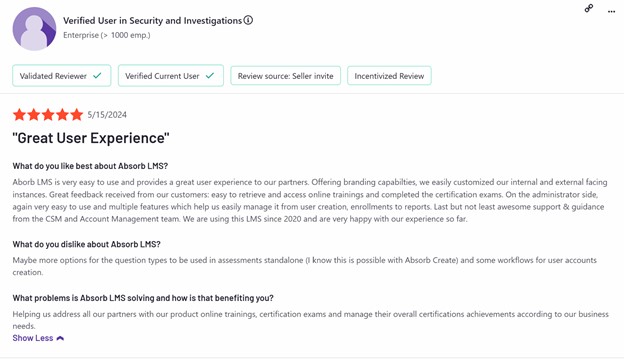
G2 rating: 4.6/5 stars (663 verified reviews)
Also see: Absorb LMS Review
What users say:
Users often mention how easy Absorb LMS is to use once it’s set up. The clean interface, strong branding options, and scalability are seen as major strengths. At the same time, some report challenges during setup and mention that reporting could be more flexible. Many teams value the quality of customer support, which helps with managing the platform over time.
LearnUpon
Best for:
Mid-sized to large organizations requiring a user-friendly, scalable LMS with strong multi-portal capabilities for training diverse customer segments, partners, and employees, backed by excellent support.
Why I included it:
LearnUpon stood out in my research for its combination of simplicity and scale. It’s designed to be intuitive from the start, but powerful enough to support large external training programs. The multi-portal feature in particular makes it ideal for organizations that serve multiple customer groups.
Key features & what makes it different:
The platform lets you create separate, branded learning environments for each audience: customers, partners, or internal teams. It integrates with tools like Salesforce and Zoom, supports certifications, and gives learners a clean, easy-to-navigate experience. The admin side is equally smooth, helping you manage training without added complexity.
Customer training features:
- Multi-portal architecture: Manage different portals with separate branding and content.
- CRM and video integrations: Connects with Salesforce, Zoom, and more.
- Certifications & compliance: Track customer progress and validate skills.
- Custom branding: Tailor each portal’s look and feel.
- Reporting & dashboards: Monitor training activity across customer groups.
Pros:
- Very intuitive for admins and learners alike.
- Scales well for training different external audiences.
- Excellent customer support.
Cons:
- Reporting tools may feel limited for deep, custom analytics.
- No built-in content library—everything needs to be created or sourced.
- Limited customization for layout and interface design.
Pricing:
LearnUpon offers enterprise pricing, typically based on the number of users and required features. Specific pricing isn’t public.
G2 rating: 4.6 out of 5 (182 verified reviews)
Also see: LearnUpon Review
What users say:
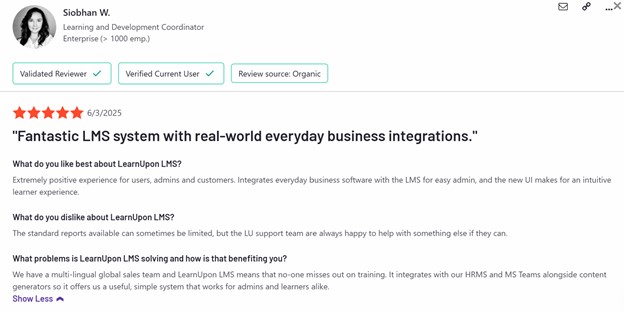
Many users highlight how easy LearnUpon is to manage, even for larger teams. The multi-portal feature is often praised as a key advantage when dealing with varied customer groups. Some teams mention they’d like deeper analytics or more flexibility in visual design, but overall, LearnUpon gets strong feedback for being reliable, well-supported, and easy to scale.
360Learning
Best for:
Companies that want to use their own internal experts to build and update customer training—especially if collaboration and community are important in their learning approach.
Why I included it:
I chose to include 360Learning because of its clear focus on collaborative learning. Instead of relying only on instructional designers, this platform lets product teams, support staff, and other internal experts create and update training content directly. If your goal is to build customer education that’s more interactive and community-driven, this tool offers the right structure.
Key features & what makes it different:
360Learning blends LMS and LXP functionality, giving teams both structured learning and dynamic content updates. Courses can include built-in feedback loops, peer discussions, and interactive elements to keep learning engaging and relevant.
Customer training features:
- Collaborative content creation: Makes it easy for internal teams to create and improve training content.
- Peer-to-peer interaction: Allows customers to ask questions, give feedback, and discuss content as they learn.
- Interactive learning: Uses real-time feedback and bite-sized content to improve completion rates.
- Automated workflows: Helps automate assignments and notifications to reduce manual admin work.
- Support for external audiences: Offers self-registration and white-labeling for customer onboarding.
Pros:
- Helps internal teams create training content quickly and keep it up-to-date.
- Engages learners with interactive and collaborative features.
- Simple to use for both content creators and learners.
- Built for continuous content improvement through learner feedback.
- Good option for fast-changing product training needs.
Cons:
- Organizations used to centralized content control may need time to adjust.
- Some administrators may face a learning curve due to the collaborative model.
- Reporting and analytics may feel basic for teams needing deeper insights.
- Less focus on traditional compliance features compared to other LMSs.
Pricing:
Custom pricing based on number of users, selected features, and level of support. Typically positioned for mid-sized to enterprise companies.
G2 rating: 4.6/5 stars (464 reviews)
What users say:
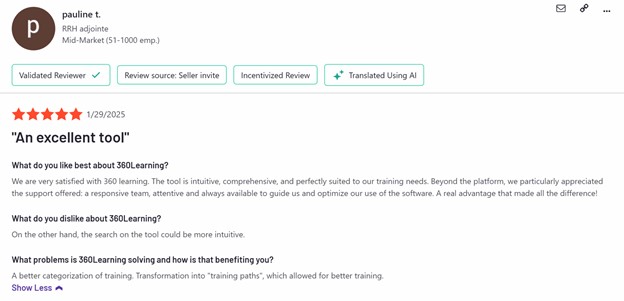
Users often mention how easy it is to build relevant content using input from internal experts. The collaborative learning model is seen as a major strength, along with interactive course features that improve learner engagement. At the same time, some teams mention a learning curve when adapting to the decentralized content creation model and wish for more advanced reporting tools.
FAQ
- What are the essential features a customer training platform must offer for success?
A successful customer training platform goes beyond basic course hosting. It should combine strong content creation tools, personalized learning paths, engagement features like quizzes and certifications, community-building options such as live sessions or forums, and advanced analytics that connect training to real business outcomes. Integration with your CRM or support tools, responsive design for mobile users, solid branding options, and AI-driven personalization are also increasingly important. E-commerce features may matter if you're monetizing your training.
- How do you choose the right customer training platform for your business?
The right platform depends on your goals, audience, and resources. If your team is small and needs fast setup, choose a user-friendly, all-in-one platform that doesn’t require heavy developer involvement. If you’re supporting a large customer base or strict compliance needs, prioritize platforms with structured learning paths, strong reporting, and CRM integrations. Make sure your choice fits your existing tech stack, scales with your growth, and helps you tie training directly to adoption, retention, or support metrics.
If your main priority is launching quickly and keeping management simple, a user-friendly, all-in-one platform like Uteach or TalentLMS can be a good fit, especially for small- or mid-size organizations. For companies with larger customer bases or strict compliance needs, platforms like D2L Brightspace or Absorb LMS offer more advanced reporting, structured learning paths, and access control options. If integrations with your CRM or customer success platform matter, solutions like Gainsight Customer Education (Northpass) can help link training progress directly to your business outcomes. Ultimately, the right choice is the one that balances ease of use with scalability and connects your training efforts to real customer results.
The best customer training platform for you
If you’ve made it this far, one thing is clear: customer training isn’t just a trend, it’s a core component of modern business strategy. Whether you're just starting or scaling globally, the right platform will make the difference between disengaged users and empowered, loyal customers.
If you're a growing business (of any size), educator, or training team looking for a platform that’s intuitive, fully customizable, and built for monetization, Uteach is designed with you in mind. With no commissions, full brand control, and 24/7 support, Uteach enables you to launch and scale your customer training program on your terms.
Book a free demo today and explore how effortless customer training can be when you have the right platform behind you.