
Employees want structure and flexibility when it comes to training. Not one or the other. It is no coincidence that blended learning continues to gain traction.
In fact, 43% of organizations in the U.S. already use blended techniques, according to the Training Industry Report. And 56% of employees say they want training that mixes in-person and remote learning.
In this article, I am breaking down 7 of the best blended learning platforms. You will find their strengths, limitations, and real reviews, so you can pick the one that actually works for your team.
When I used to attend teacher and instructor upskilling trainings across different educational environments, there was one belief about blended learning experience attendees mostly mentioned.
The majority defined it as a mix of in-person and online training. Yet, blended learning is not about the format of delivery. It is about how synchronous and asynchronous learning work together to create that engaging experience.
While reviewing platforms for a blended learning setup, I paid attention to exactly that aspect. In this regard, here is what to pay attention to when choosing a blended learning platform for your organization’s needs.
- Social and collaborative learning opportunities
In a blended setup, you can run an in-person session on leadership for your employees, then follow it with a video series and a case study assignment. But what happens in between determines whether the learning sticks. That is why social features like comments and questions for courses, peer feedback tools, communities, and group spaces help keep employees engaged between touchpoints. In fact, social learning is responsible for at least 75% of the knowledge that employees gain in the workplace.
- Instructor-led training management
When you run 10+ cohorts or train globally, managing ILT manually does not scale. That is why a solid platform should handle scheduling, live session delivery, registration, reminders, and attendance tracking in one place.
- Mobile learning opportunities
Statistically, mobile learning increases the employee’s productivity by 45%. If you use a blended learning platform offering a mobile app, employees can complete modules between meetings or wherever they are.
- Analytics
You do not want to fly blind, and you want to measure the impact of the corporate training or any other training you offer. It is important that your blended learning LMS provides employee progress across both ILT and digital content, and gives team-level insights.
These were some of the features we will discuss below for each LMS.
Best LMS and platforms for blended learning
Here is a quick overview of the best blended learning LMs for your organization.
Platform | Pros | Cons |
|---|---|---|
_Strong focus on e-commerce and marketing tools _Flexible course creation and assessment tools _Automated live sessions and easy management | _No support for SCORM and xAPI files _No gamification | |
_Flexibility in structuring the learning program _Support for gamification with badges, leaderboards, and levels. _Automation workflows
| _No native library _White labeling is available only for it highest-priced tier _Most reviewers find the experience with the LMS cumbersome
| |
_Support for inclusive learning with hard-of-hearing, low vision, and blind assistance _Headless LMS _Advanced analytics | _Limited quizzing and survey opportunities _You have to pay for the Data Analytics to access the detailed reports
| |
_No limit on the files you can host _AI functionality for course building _Supports gamification and collaborative learning
| _Branding and customization are limited _Basic page builder _You need to integrate with other iSpring solutions for a full experience
| |
_Is a course-authoring tool, LMS, and LXP all at the same time _Has a heavy focus on AI _Offers opportunities for collaborative learning | _Little eCommerce functionality _Needs better reporting functionalities reported by user _The features need some “getting used to”
| |
_Lots of ready-made templates _Completely white-label _Open to new integrations
| _No fixed costs when it comes to pricing _Most reviewers mention they had difficulties setting up
| |
_Strong focus on e-Commerce tools _Easy to manage and navigate _Flexible options to create a diverse training experience | _Simple reporting functionality _Steep pricing for smaller companies |
Uteach
Uteach is an all-in-one learning management system for every team that is looking to launch a branded and scalable academy. What is great about Uteach is that it comes with strong e-commerce functionality to deliver and sell the training.
Key functionalities for a complete blended learning experience
- Opportunities to create in-person, online, and blended learning experiences with diverse content types
- Personalized training with various learning needs in mind, including built-in coaching tools
- AI assistant to help generate the outline, name, and description
- Communities to engage the team members in discussions around training topic,s and not only
- Custom mobile app to make the training available in a mobile app with your organization’s branding
- Detailed analytics on employees’ performance in training as well as course insights
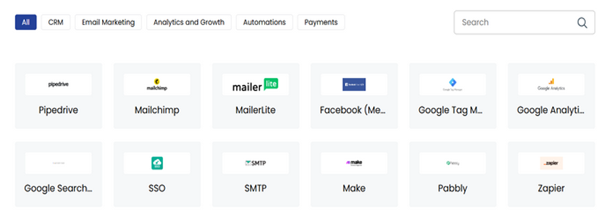
Uteach integrates with dozens of your tools to help you scale easily. Among those, you can find popular marketing, CRM, automation, and analytical integrations.
Pros
- Strong focus on e-commerce and marketing tools
- Flexible course creation and assessment tools with various question types and quiz formats
- Automated live sessions and easy management
Cons
- No support for SCORM and xAPI files
Reviews
Capterra: 4.7/5 stars
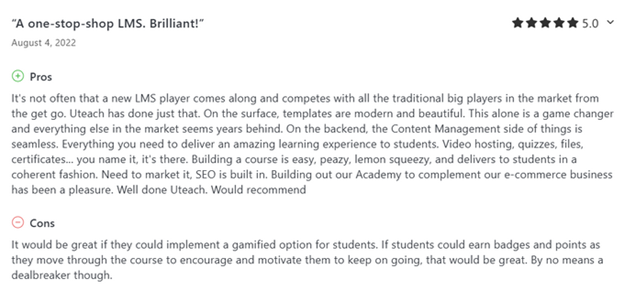
Reviewers mostly like Uteach as it is easy to use, versatile, and gives an opportunity to customize the whole training experience to the learners’ needs. They mention the platform is intuitive for navigation and appreciate the course-building capabilities.
Book a demo with the expert to learn more about how Uteach meets the blended learning needs of your organization.
Related: Uteach Review
LearnUpon
LearnUpon is a learning management system for those who need to train multiple audiences, like employees, partners, and customers. It gives companies one place to manage all their training and makes it easy to deliver different learning experiences to each group. You can create learning portals for different teams or clients, each with its own branding and course paths.
Key functionalities for a complete blended learning experience
- Multiple formats to create and deliver courses, including webinars, instructor-led training, SCORM, xAPI, and other files.
- Opportunities to link courses and create a learning path. You can also create a catalogue for learners to browse extra courses not included in their main curriculum.
- Detailed reporting functionality to track learner interactions, time spent on learning, and individual scores
- Various options for feedback loops, such as exams, assignments, knowledge checks, and surveys.
- Discussion forums for learners to work on the course content together
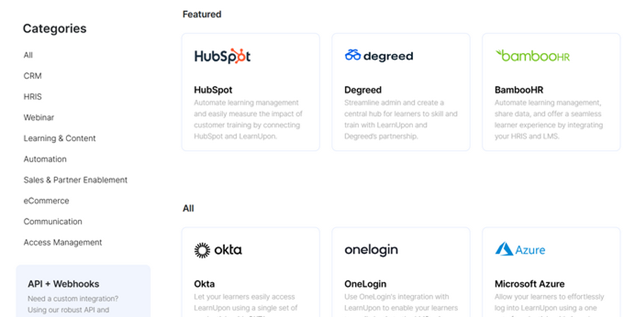
One of the things I love about LearnUpon is the wide range of integrations for e-commerce, automation, marketing, and sales tools. Some of the most popular integrations include HubSpot, BambooHR, Zapier, and Microsoft Teams.
The platform also offers mobile learning experiences with a custom app for your organization where you can incorporate your branding and provide a consistent user experience for your employees.
Pros
- Flexibility in structuring the learning program for employees. They can take mandatory training, as well as enroll in courses they are interested in.
- Support for gamification with badges, leaderboards, and levels.
- Great opportunities to automate the learning journey with if/then workflows
Cons
- No native library with pre-built courses
- White labeling is available only for it highest-priced tier
- Most reviewers find the experience with the LMS cumbersome
Reviews
Capterra: 4.7/5 stars
G2: 4,6/5 stars
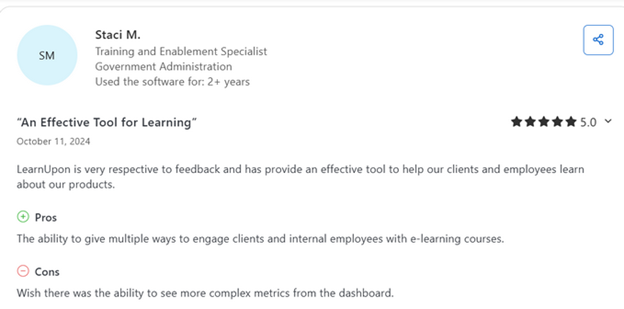
Most people say they like LearnUpon for its layout. They describe it as simple and clean, so both admins and learners can figure things out without much trouble. They also love that it is quick to upload different kinds of content like videos, PDFs, and SCORM files.
With that being said, most users find the experience cumbersome and think the LMS is difficult to navigate.
Pricing
LearnUpon offers three main pricing plans. The pricing mostly depends on the number of users you have. But some advanced features, such as white-labeling, two-way API access, and some integrations, are only available for the higher-priced tiers.
Related: LearnUpon Review
Absorb LMS
Absorb LMS is an AI-driven solution that allows you to create video courses, set learning paths, assess the learners, and award certificates. It provides opportunities for you to run both synchronous and asynchronous learning. With the learning paths available, you can personalize the learning experience for the employees and adapt to all the learning styles.
What is great about Absorb LMS is that the platform offers AI functionalities to simplify both creation and management tasks. For example, you can generate courses, quizzes, and automatically recommend upskilling programs to employees and manage administrative tasks.
Key functionalities for a complete blended learning experience
- Built-in course authoring opportunities where stakeholders can work on the content collaboratively.
- Support for various content formats, including videos, PDFs, and SCORM files, making it easy to integrate different types of training materials into a blended learning environment
- Offer learner engagement tools with social profiles and gamification
- Suggests informal learning with peer gatherings, breakout rooms and discussions.
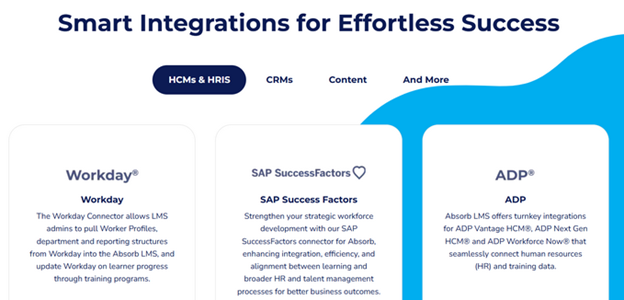
Absorb has a decent amount of integrations with content, automation, videoconferencing, CRM, and other tools. The best part is that the platform has a special integration for healthcare organizations, so they can have access to up-to-date training materials.
As for the mobile app, the platform does not offer custom solutions for organizations. Instead, it has Absorb Learn, which you can adapt to your brand.
Pros
- Support for inclusive learning with hard-of-hearing, low vision, and blind assistance
- Headless LMS, so you can embed the necessary materials into software that the employees already use
- Advanced analytics with business intelligence reporting, learner progress tracking, and custom reports
Cons
- Limited quizzing and survey opportunities with only multiple-choice and text versions.
- You have to pay for the Data Analytics to access the detailed reports
Reviews
Capterra: 4.5/5 stars
G2: 4.6/h stars
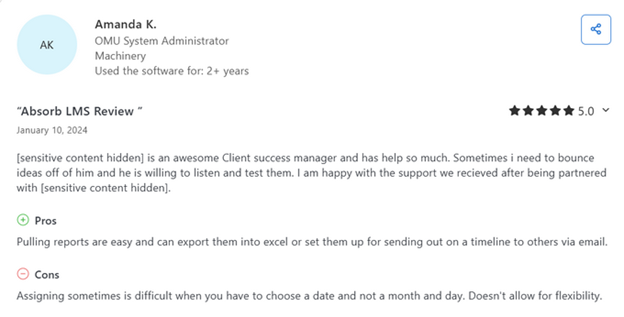
Reviewers appreciate the customizable templates, intuitive navigation, and the ability to upload various content types like SCORM modules, PDFs, videos, and images. People also praise the customer support and mention that it is responsive and helpful.
However, some users mention challenges with the reporting features, noting that they can be complex and may require additional training or customization. Others point out that while the platform is functional, it may lack some visual appeal compared to other systems.
Pricing
Absorb LMS is not transparent about its pricing. They focus on offering personalized pricing, which depends on the number of learners you are willing to serve.
Related: Absorb Review
iSpring Learn
iSpring Learn is another great solution for blended learning that focuses on simplicity and speed. Here you can mostly create PowerPoint-based courses and turn them into full training with quizzes, voiceovers, and interactive elements. It also has a strong mobile app that works offline, so learners can train anywhere and sync progress later.
What is great is that the platform integrates with iSpring Suite, which makes content creation smoother.
Key functionalities for a complete blended learning experience
- Schedule and manage live classroom or virtual sessions with Zoom, including attendance tracking and reminders.
- Support for different formats of learning content, including SCORM and xAPI.
- Build structured learning paths that mix online content with live sessions and offline assignments.
- Automatically assign learners to tracks or sessions based on their role, department, or completion status.
- Mobile learning opportunities with offline access
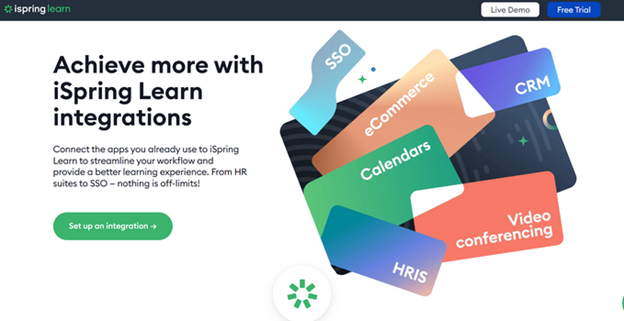
When it comes to integrations, iSpring Learn lets you connect with popular CRM, HRIS, video conferencing, and calendar tools. You can integrate tools such as BambooHR, PeopleWeek, and rangeHRM to simplify the HR workflows in your organization.
Pros
- No limit on the files you can host
- AI functionality for course building
- Supports gamification and collaborative learning
Cons
- Branding and customization are limited only to color scheme choice and adding a logo
- Basic page builder
- You need to integrate with other iSpring solutions for a full experience
Reviews
Capterra: 4.7/5 stars
G2: 4.6/5 stars
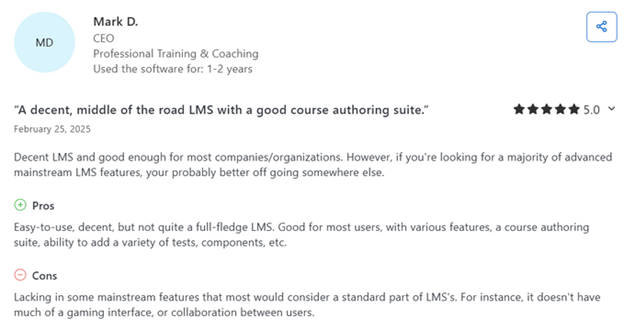
iSpring Learn is often seen as a flexible tool that gives good value for the price. Reviewers especially like that the platform is simple and course management is easy. They also mention that being able to control the skill level of learners helps them a lot.
That said, some users are not happy with the analytics and reporting features. If a course has a mix of content types, it can get tricky to keep track of everything.
Pricing
The pricing on iSpring depends on the number of users you have. They offer two main plans, Start and Business. For 300 users, these plans cost $3.70 and $4.10 per user, respectively. It is the Business plan that offers the corporate portal functionalities and the development plans for the employees.
Related: iSpring Learn Review
360 Learning
360Learning is a platform that puts collaborative learning at the center of everything. Instead of just pushing content to learners, it helps your team create and improve courses together, which makes training feel more relevant and engaging.
What I think sets it apart is the built-in tools for peer feedback, reactions, and discussion right inside the course, so learning becomes more interactive. It is especially strong when it comes to blending online training with live sessions.
Key functionalities for a complete blended learning experience
- AI-driven course authoring and experience-building tools
- Support for various types of interactive content, including SCORM
- Opportunities for multilingual training
- Upskilling insights to identify skill gaps and courses
- Automated peer learning groups, where you can automatically manage discussion groups based on roles or learning progress.
- Scalable cohort-based learning with self-paced content and live sessions in one workflow.
- Optimized process for Instructor-led training with smart scheduling, self-check-ins and attendance management
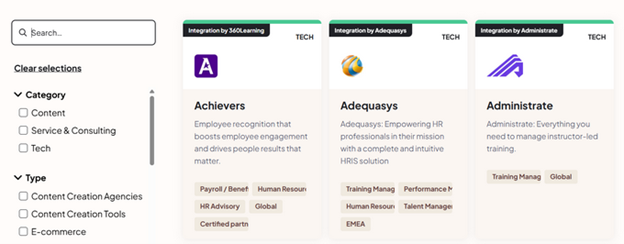
The wide range of integrations is definitely one of the strongest suits of 360Learning. You can find tools for content creation, workforce planning, performance management, human resources, and other areas. Some of the popular integrations include BambooHR, Canva, Loom, and Salesforce.
Pros
- Is a course-authoring tool, LMS, and LXP all at the same time
- Has a heavy focus on AI to help with building courses, creating and saving prompts, and recommending courses
- Offers opportunities for collaborative learning with feedback loops, reactions, relevance scores, etc.
Cons
- Little eCommerce functionality wth just one integration
- Needs better reporting functionalities reported by user
- The features seem cluttered and need some “getting used to”
Reviews
Capterra: 4.7/5 stars
G2: 4.6/5 stars
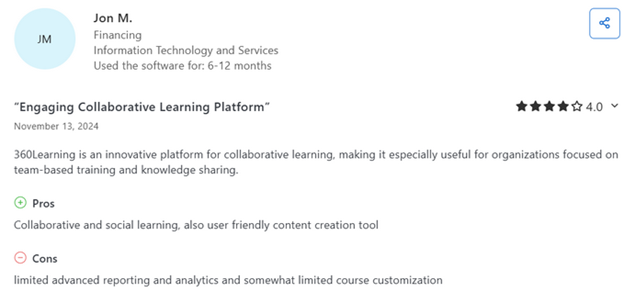
Reviewers say 360Learning is an interactive platform for training. Teams that focus on group-based learning like its collaborative features. Users also enjoy the gamification tools that help keep learners engaged.
On the downside, some users wish there were more options to customize the portals and get detailed reports on learner progress.
Pricing
At the moment, 360Learning offers 2 main pricing plans: Team and Business. The former is for 1000 users/month and costs $8/per user. If you need more users monthly, you need to talk to their sales team for the Business plan.
Related: 360Learning Review
Tovuti LMS
The key promise of Tovuti LMS is that it makes the training less of a chore. The platform focuses on combining the main tools you need to automate the training and learning processes. As a blended learning platform, Tovuti LMS helps to centralize the face-to-face and online learning instructions with one solution.
What I really like about Tovuti is that it also has a strong focus on creating a gamified environment and making training collaborative.
Key functionalities for a complete blended learning experience
- A large content library with various opportunities to deliver your content, such as branching scenarios, quizzes, hotspots on images, etc.
- Detailed reports, including insights and comparisons on the training format, such as online and offline
- Learning paths, to include in-person and online instructions
- Built-in AI course creator to help you with the training content with DIZI AI
- Support for engaging mobile learning
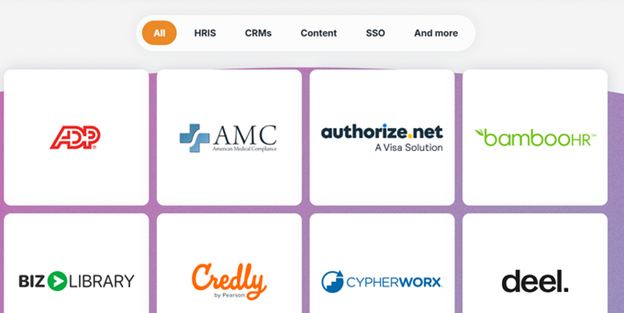
As for the other opportunities for a full training experience, Tovuti LMS integrates with 50+ CRM, sales, content, automation, and HRIS systems. In that list, you can find tools such as HubSpot, Zapier, Zoom, and Shopify. On top of those, you can get 7000+ integrations with APIs.
Pros
- Lots of ready-made templates to start with the content quickly
- Completely white-label for a true branding experience
- Open to new integrations
Cons
- No fixed costs when it comes to pricing
- Most reviewers mention they had difficulties setting up
Reviews
Capterra: 4.8/5 stars
G2: 4.6/5 stars
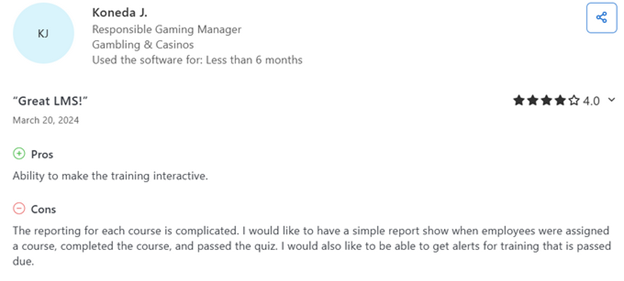
Based on user reviews from Capterra and G2, users appreciate Tovuti LMS for its customizable interface. They mostly find the content creation tools and overall design intuitive and flexible. The customer support team receives praise for being responsive and helpful during onboarding and ongoing use. However, some reviewers mention that the reporting features are limited, particularly concerning quiz results within lessons. Others mention they have difficulties navigating.
Pricing
As I already mentioned, Tovuti LMS is not transparent about its pricing plans. Nor do they share how the pricing is calculated and what it is based on. That being said, the pricing is available upon request.
Related: Tovuti LMS Review
Academy of Mine
Academy of Mine is a learning management system designed for professional training, certification programs, and continuing education. Here, you can easily combine online courses with live webinars and in-person sessions.
The platform offers extensive customization options, including white-label branding and custom domains. Functionalities like automated grading, detailed reporting, and multi-tenant portals support scalable training for diverse audiences.
Key functionalities for a complete blended learning experience
- Opportunities to create self-paced training programs with support for SCORM
- Interactive classroom experience with discussions and assignments
- Detailed analytics on scores, completion, engagement, learning time, certification, and other areas
- Live events and webinars with integrations
- Opportunities to establish your organization’s branding throughout all the portals
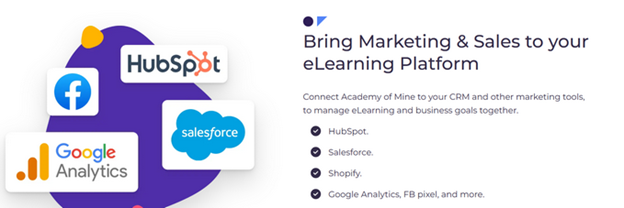
To expand the capabilities of the Academy of Mine, you can integrate it with other marketing, sales, and e-commerce tools. Some of the popular integrations include Salesforce, Shopify, HubSpot, FB pixel, and others.
Pros
- Strong focus on e-Commerce tools
- Easy to manage and navigate
- Flexible options to create a diverse training experience
Cons
- Simple reporting functionality
- Steep pricing for smaller companies
Reviews
Capterra: 4.9/5 stars
G2: 4/5 stars
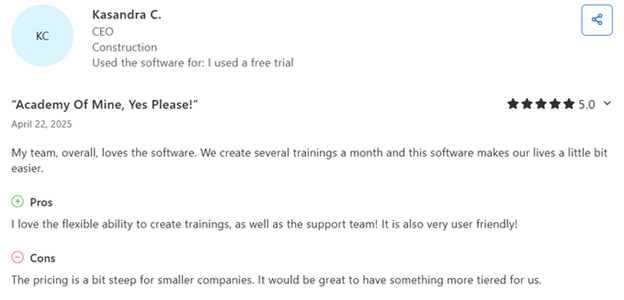
The platform mostly has positive reviews, especially because of the user-friendly interface, strong functionality, and helpful customer support team. Reviewers appreciate the ability to white-label the platform and customize it to their needs.
However, most reviewers also mention that the pricing is high compared to the similar functionality that other LMS offer.
Pricing
Academy of Mine offers two main pricing plans, Professional and Enterprise. The two plans are similar in terms of the features they include. However, it is only the Enterprise plan that allows advanced customization and does not limit the number of users.
The first plan is $199/month.
Related: Academy of Mine Review
Conclusion
As the needs of employees continue to evolve, your LMS should support more than just content delivery. It should foster connection, collaboration, and measurable growth.
Whether you are looking for easy live session scheduling (like Uteach and LearnUpon), strong analytics (like Absorb LMS), or built-in collaboration features (like 360Learning), there is a platform out there to match your training priorities.
But if you are looking for all that, plus an intuitive course builder, built-in website, powerful marketing tools, and automation that saves you hours every week, Uteach has it all in one place.
Book a demo today to find out how Uteach meets the blended learning needs of your organization.



