

You try to write one simple question, and suddenly it feels like you are drafting a long document. You want feedback from students or clients, but the process of creating the actual survey takes more time than the course itself. Luckily, AI survey-builders now help us save time and create surveys that are engaging.
I tested a bunch of survey builders to see which ones are worth using, and I selected ten that genuinely make the job easier. These are the options you can rely on when you want clean surveys, faster workflows, and responses that actually help you improve your courses. Let us walk through them.
Here is a quick overview of the best AI survey-builders you can try.
Tool | Best For | Pricing |
SurveyMonkey | Creating polished surveys with AI support and strong analysis | $35/per month |
Typeform | Conversational and interactive surveys with adaptive logic | $29/per month |
Alchemer | Advanced, highly structured surveys with deep logic | $55/per month |
BlockSurvey | Privacy-focused surveys with strong encryption and multilingual questions. | Free plan available. $49/per month |
SurveySparrow | Conversational, mobile-friendly surveys with wide distribution options | Pricing not public. |
QuestionPro | Research-grade surveys with advanced logic and 80-plus question types | Free plan available. $99/per month |
SurveyLegend | Visually appealing, mobile-optimized surveys with simple drag and drop | Free plan available. $19/per month |
Formester | Simple surveys generated by AI with offline support | Free plan available $12/per month |
Fillout | AI-generated surveys are integrated deeply with automations and forms | Free plan available. $19/per month |
Evalandgo | Building branded surveys with many templates and strong data reporting | Free plan available. 35€/per month |
Uteach | Collecting feedback directly inside your course platform | Free inside the platform. |
forms.app | Collecting unlimited responses for free, with feature-rich forms | Free plan available. Basic: $19/month |
#1 SurveyMonkey
SurveyMonkey is a comprehensive online survey platform whose main focus is on creating beautiful and engaging surveys using AI. You can particularly use it to build forms and surveys for marketing purposes, analyze customer experience, or use it for research purposes.
You can share surveys via web link, email invitation, social media, and QR code.
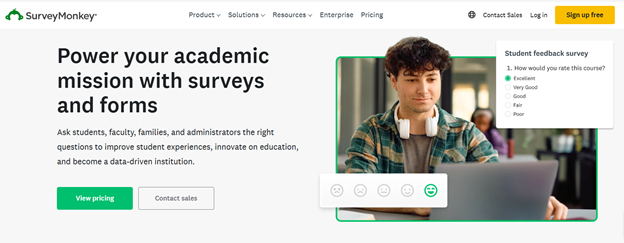
What can you do with SurveyMonkey?
- Access 400+ templates to start easily
- Use “Build with AI” to generate a custom survey draft by simply typing a short prompt describing what you want.
- Import existing survey drafts (from Word, Google Docs, etc.) and let AI automatically convert them into a well-structured survey with appropriate question types and formatting.
- Design surveys that feel on-brand by uploading your logo or images; AI will generate a custom theme matching your brand colours.
- Use advanced features like skip logic, multiple question types (rating scales, text boxes, NPS, ranking, etc.), multilingual surveys, custom URLs, and even payment collection if needed.
- Process open-ended responses effectively: the AI can perform thematic analysis (grouping similar responses), sentiment analysis (positive/neutral/negative), and flag low-quality or duplicate responses.
- Integrate it with 200+ apps like Slack, HubSpot, Mailchimp, etc.
What I like about SurveyMonkey
One of the challenges when creating a survey or a form is when you have to agonize over how to form questions to get meaningful responses. With SurveyMonkey, you describe what feedback you want, press go, and get a ready-to-use survey immediately. How? Because when you have a question with multiple choice, the AI helps you select from the answer choices and
And choose what type of question will fit better.
And then, when you are done with all your questions, the tool also suggests what you can improve. All in all, the survey builder allows for collecting structured feedback with as little effort as possible.
Pricing
SurveyMonkey offers different pricing plans for individuals, teams, and enterprises. For individuals, the lowest tier starts at $35/month, and you can collect 10000 responses per month. At least the number of surveys you create is unlimited.
#2 Typeform
Typeform is a survey and form-building platform that uses AI to automate the creation, distribution, and analysis of forms and surveys. You can run anything from feedback surveys, lead-generation forms, registration forms, quizzes, to deeper research surveys.
It uses OpenAI to create and optimize the survey questions. It can create lead qualification forms, personality quizzes, product-recommendation quizzes, registration forms, polls, etc.
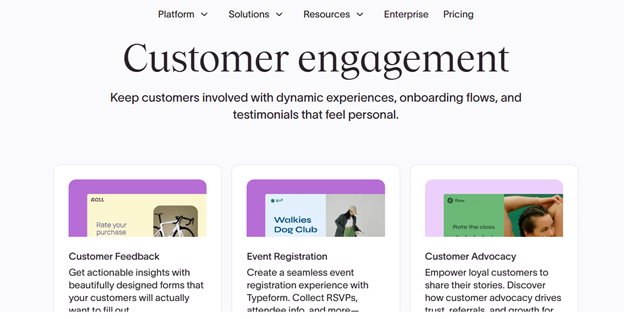
What can you do with Typeform?
- Automatically apply your branding as you upload your website URL and get forms that match your brand’s colors, logo, and style.
- Translate the surveys into more than 25 languages.
- Use “Interaction AI” so that the survey adapts to respondents and asks them follow-up questions. And this way, your survey becomes like a dialogue, not a static questionnaire.
- After responses come in, you use “Insights AI” to analyze data. For example, you get charts, summaries of quantitative data, theme detection, and sentiment analysis for open-ended responses, and even ask follow-up analytic questions.
- Use integrations with 300+ tools.
What I like about Typeform
What I liked is that Typeform brings that assistant experience. The data analyzer is helpful to detect patterns or sentiments. So, if you collect dozens of responses, it saves a great deal of your time.
The built-in translation makes it easy to reach learners who speak different languages. Also, the conversational style of filling in the form one question at a time, with follow-up logic, feels more natural for respondents.
Pricing
Typeform offers different pricing options for various segments. Generally, they have 4 tiers, the lowest starting at $29/month. You can create 100 responses a month and make your forms and surveys branded.
#3 Alchemer
Alchemer is a flexible survey platform built for situations where you need more than a simple feedback form. It is oriented toward gathering structured responses from students, clients, customers, or community members and then turning those responses into insights.
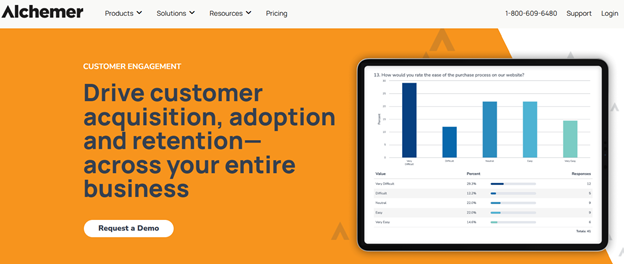
What can you do with Alchemer?
- Create surveys using more than 40 different question types, including Likert scales, file and image uploads, ranking, open-ended responses, and more.
- Allow anonymous responses, and prepopulate answers to make surveys more respondent-friendly.
- Use advanced survey logic and branching/skip logic to tailor the survey path depending on previous answers.
- Share the survey in multiple channels via web link, email, SMS, and QR codes.
- Use built-in reporting and segmentation features for immediate insights and segment-based analysis (for example, I could group respondents by demographics).
What I like about Alchemer
Being able to choose among 40+ question types and set up logic branching means you can make surveys very precisely for different learner segments. It also integrates with automation tools, so you can build workflows and include surveys when your learner completes a specific action.
Pricing
For individuals, Alchemy offers 4 main pricing options. The lowest tier allows you to create unlimited surveys and collect 75K responses a year. But the opportunity to apply multiple conditions to the survey is not available here. The plan costs $55.
#4 BlockSurvey
BlockSurvey is an AI-powered survey tool built with an emphasis on privacy, security, and modern data-collection needs. Its main focus is on making survey creation and analysis very fast and accessible. So, if you are a coach or you deal with sensitive data, you can ensure that respondent data remains private and encrypted.
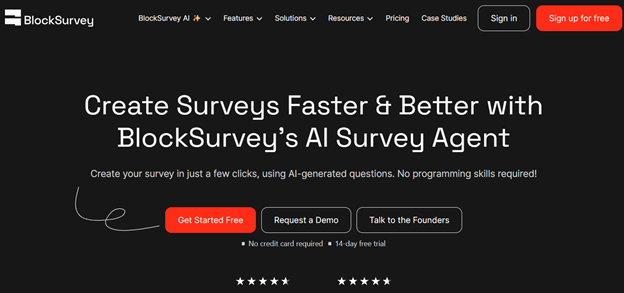
What can you do with BlockSurvey?
- Create surveys in 100 languages.
- Use AI to generate survey questions simply by writing the title and describing what kind of survey you want to create.
- Use adaptive questioning to bring in a conversational flow for the questions.
- Use AI to analyze the qualitative data and find patterns in the responses.
- Compare the results of the surveys using variables.
- Create bulk and drip email campaigns to share your surveys.
What I like about BlockSurvey
The tool claims that it does not collect any metadata, IP addresses, or identifiable tracking information. It has a clean, intuitive interface that simplifies creating surveys and offers advanced features like conditional logic and real-time analytics.
Pricing
BlockSurvey has a free pricing option, which allows you to collect up to 10 responses. Apart from that, there are 4 other plans. The Standard version costs $49, which gives an opportunity to create multi-language surveys and collect 100 responses, which is a bit limited.
#5 SurveySparrow
SurveySparrow is an online survey and feedback-collection platform. Its core focus is delivering conversational, user-friendly surveys that can adapt across multiple use-cases, from customer feedback to employee engagement or market research. The platform emphasizes ease of use, customization, and flexibility rather than just basic forms.
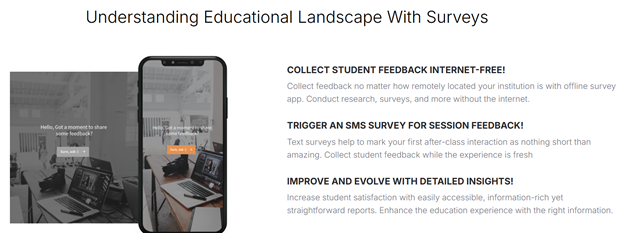
What can you do with SurveySparrow?
- Use its AI-powered survey builder to generate surveys automatically using a simple prompt.
- Build conversational or chat-style surveys that feel more like a dialogue and often lead to higher response rates.
- Create many types of surveys, including offline surveys (for data collection without internet), and video-backed surveys.
- Share surveys widely through various channels: email, SMS, web link, embed on website, and social media.
- Automate workflows and integrate with external tools. Use APIs, webhooks, or native integrations to connect survey results with CRM, email tools, and analytics.
- See charts (bar, line, stacked, journey, etc.), filter and cross-tabulate responses, generate reports, and export data in formats like PDF, Excel, or SPSS.
What I liked about SurveySparrow
The branding and white-labeling features allowed you to keep surveys professional and aligned with your course brand. It is mobile-first and has a user-friendly format. There are 2000+ integrations to keep everything in one workflow and reduce manual actions.
Pricing
SurveySparrow does not display the pricing information publicly, and you would need to contact their support team for all the details.
#6 QuestionPro
QuestionPro is a full-featured online survey and research platform aimed at serious feedback gathering, market research, or audience-insight projects. You can build detailed surveys or research studies, often with advanced logic and data-handling capabilities.

What can you do with QuestionPro?
- Build surveys using more than 80 (standard and advanced) question types.
- Start from 250+ ready-made templates for various use cases: customer feedback, market research, etc.
- Use advanced logic and survey flow controls: skip logic, branching, text piping, randomization, looping, dynamic question flows, quotas, and branching based on prior answers.
- Collect responses via many channels: web link, embedded in a website, email, SMS, mobile app, or offline.
- Integrate with other tools if you have larger workflows: CRM systems (like Salesforce, Microsoft Dynamics), analytics tools (like Tableau), or export data to external systems via API.
- Have students rate their experience with you.
- View results in simple charts and filter the data you get.
What I liked about QuestionPro
If you need a survey that is not just "course feedback, for example, market research, user segmentation, or detailed audience analysis, the tool serves that purpose. The breadth of templates helps you get started fast. The logic controls give you confidence that respondents only see relevant questions.
Pricing
QuestionPro offers 4 main plans, including a free one. With the free option, you can collect up to 200 responses per survey. The pricing is different depending on whether you choose the solution for customer experience or research purposes. The advanced plan comes with $99/month.
#7 SurveyLegend
SurveyLegend is an online survey tool built to deliver visually appealing, mobile-friendly surveys that look good and feel modern. Its main focus is on ease of use, design flexibility, and delivering surveys that respondents enjoy interacting with.
It is especially well-suited when you care about presentation and want your surveys not look like plain forms but rather polished, engaging experiences.
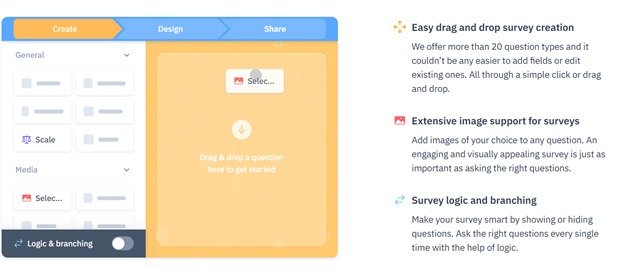
What can you do with SurveyLegend?
- Build surveys through a drag-and-drop interface that lets you add questions with minimal effort.
- Use more than 20 different question types, including basic types (text, multiple-choice, rating, Likert scales, dropdowns) and media-rich options such as images or multimedia.
- Implement logic and branching so that the survey adapts depending on respondent's answers.
- Customize the visual design: choose from many themes, adjust colors, upload background images or logos to match your brand identity.
- Share surveys freely via link, embed on a website, or share on social media.
What I liked about SurveyLegend
It is great how quickly you can go from a blank page to a clean, attractive survey. The drag-and-drop builder felt intuitive, and you do not need to think about formatting or layout. Also, the fact that the surveys adapt perfectly to mobile screens means you do not need to worry about students or course participants skipping because of bad usability. The logic and branching make surveys feel more personal and relevant for each respondent, which I believe improves completion quality.
Pricing
SurveyLegend offers a free plan, which allows you to create 3 surveys and collect 10000 responses. However, you cannot extract the data in this case. Apart from the free version, it has 3 other tiers, starting at $19/month. The Starter plan gives an opportunity to create 20 surveys.
#8 Formester
Formester is an online form and survey builder that combines AI-powered automation with flexible customization․ Its main focus is on helping you create surveys (as well as forms, quizzes, polls) quickly from simple prompts․
It is one of the simplest tools in our survey tools list. It helps to generate the questions, design the survey, and share it.

What can you do with Formester?
- Generate a full survey simply by typing a prompt describing what you need.
- Edit and customize anything: you can adjust questions, add or remove fields, include images or videos, and customize layout, fonts, colors, and branding.
- Collect responses via shareable links, embedding on websites, email, social media or even QR-codes.
- Handle offline responses: respondents can fill out a survey even without internet, and answers sync later.
- Automate follow-up or confirmation emails to respondents with the built-in email autoresponder.
- View results in real time via built-in analytics: track completion rates, see partial submissions or drop-offs, export data as CSV or to Google Sheets for further analysis.
What I liked about Formester
If you are looking for a simpler solution to run online surveys and collect responses, this would be it. You spend less time thinking of questions and can quickly edit the AI-generated ones. The tool also gives an opportunity to track incomplete responses, and the abandoned forms are also included in the analytics.
Pricing
Formester offers a free plan, which comes with 10 forms and 100 responses. For unlimited forms, you will need to check their Personal plan at $12. However, the responses you can collect are still limited.
#9 Fillout
Fillout has a modern AI-powered survey and form builder that helps you create surveys fast and customise them easily without coding. Basically, you start by describing what you need or importing an existing set of questions. The AI then generates a full survey draft that you can adjust. It goes beyond basic surveys, so you also get support for quizzes, forms, and polls from the same platform.
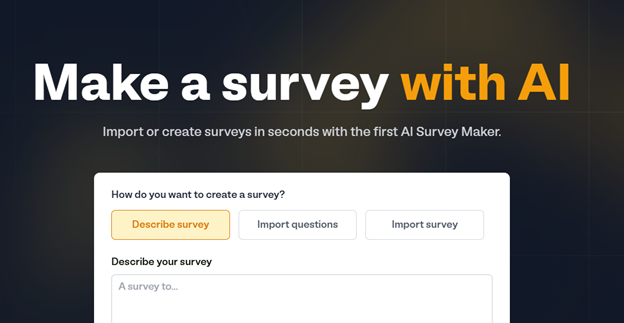
What can you do with Fillout?
- Generate an AI-created survey by describing your requirements in plain language or by importing questions from another survey.
- Choose and modify a range of question types, such as multiple choice and short answer, then edit in a drag-and-drop editor.
- Apply branding to your survey by adjusting themes, colours, and styles.
- Share surveys with students or the audience via a unique link or embed them on your website.
- Use creative workflows and analytics tools after responses come in to summarise patterns, classify text responses, or extract key insights with AI actions.
What I liked about Fillout
The survey builder has a wide variety of formats to use for answers and questions. For example, you can build a form using widgets like date & time, rating & tanking, contact info, tables, subforms, etc. Everything is easy to build with a drag-and-drop interface.
Pricing
Fillout offers an unlimited forever plan, which allows you to create an unlimited number of forms and collect up to 1000 responses a month. Yet, if you also custom themes, consider the Starter plan at $19.
#10 Evalandgo
Evalandgo is an online survey platform that helps you build, share, and analyse professional questionnaires, feedback forms, and interactive surveys. Its focus is on giving you a full suite for survey creation, whether you need a satisfaction survey, a training feedback form, a knowledge quiz, a registration form, or a market research questionnaire.
It also includes an AI survey creator that helps you generate questions based on your description of what you need, with built-in GDPR compliance and secure European data hosting.
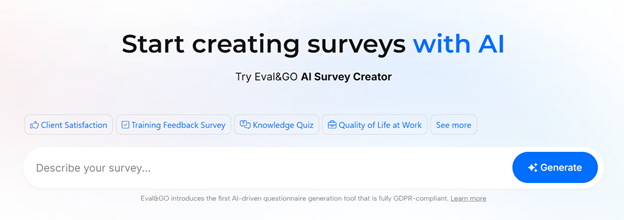
What can you do with Evalandgo?
- Use the AI Survey Creator to generate a professional survey by describing your goal and letting the system draft questions and structure.
- Create many types of questionnaires beyond simple surveys such as quizzes, satisfaction forms, MCQs, 360° assessments, registration forms, votes or market research studies.
- Implement logic and redirect respondents based on their answers or use advanced settings like quotas.
- Distribute your survey via web links, QR codes, email campaigns, embedding on websites or API integration.
- Use templates by category and save your time.
What I liked about Evalandgo
They claim that Evalandgo is GDPR compliant with European hosting, which matters if you collect personal data from students or clients. It feels like a practical one-stop solution if you need both creation and analysis in the same place.
Pricing
Evalandgo offers a free plan, which gives an opportunity to create an unlimited number of surveys. Yet, you can only collect 25 responses. The Pro plan starts at 35€/month, and comes with a customizable design and an email sending platform.
#11 forms.app
forms.app is a form and survey builder with unlimited responses and team members that makes it easy to create surveys, questionnaires, quizzes, and feedback forms without any coding skills. It’s a useful option for educators, businesses, and researchers who want to collect responses with no limits.
You can start with a template or describe what you need to create a form using AI. Once your form is ready, you can customize its design and share it through a link, QR code, or by embedding it on your website.
What can you do with forms.app?
- Collect unlimited responses and invite unlimited team members in the free plan.
- Use the AI form generator to create any form from prompt, image, URL, or PDF.
- Customize colors, logos, and layouts to match your brand or project.
- Use conditional logic to show relevant questions based on respondents’ previous answers, making surveys more personalized.
- Analyze responses via advanced analytics, drop-off rates, partial responses, and AI insights.
- Choose from 30+ form fields, all available in the free plan, including payments, product listings, file upload, and signature fields.
What I like about forms.app
What makes forms.app useful is how quickly you can go from an idea to a working survey. Instead of building every question from scratch, you can use AI or customize an existing template to suit your needs. It eliminates the standard barriers in other form builders, like response limits, team member limits, or traps like form view limits.
For educators, it can be used to collect student feedback, evaluate courses, and create quizzes. Businesses can use it to measure customer satisfaction, gather client feedback, and run research surveys without needing technical expertise.
Pricing
forms.app offers a free plan, so you can start creating forms and surveys without an upfront payment. Paid plans start at $19/month for the Basic plan. This makes it an accessible option for individuals, educators, and businesses looking for a solution to create surveys.
Create surveys for your students with Uteach
Selecting an AI survey maker comes down to how much control you want, how fast you need to move, and how deep your insights must go. Each platform has a clear strength.
SurveyMonkey and Typeform excel at full survey workflows with AI assistance and strong integrations. Alchemer and QuestionPro are better when you need detailed logic and multiple distribution channels. If design and mobile-first presentation matter, SurveyLegend delivers. Tools like Formester and Fillout are lightweight and fast. BlockSurvey focuses on privacy and encrypted data handling. SurveySparrow brings conversational flair and flexible multi-channel distribution. Evalandgo combines creation and analysis with a GDPR-compliant setup.
Choose the tool that saves you time, helps you ask better questions, and gives you cleaner insights about your students or clients.
But you can create detailed and effective surveys directly inside your all-in-one course platform. With Uteach, you can build forms that gather feedback and collect information. You can:
- add questions one by one and choose from multiple answer types such as multiple choice, dropdown, short or long text, picture choice, or file upload
- control whether forms are published, kept as drafts, or shared only via direct link
- add your forms in the course episodes
- customize the post-submission experience
Create surveys and forms that align with your teaching goals right inside your platform, keep responses organised, and link them to your student experiences without extra complexity.
Book your free demo and explore how Uteach can simplify your survey creation and more.



