
The following guide covers:
Steps to develop a customer training strategy for customer success enablement
Examples of customer training initiatives
You have put in enough time and effort to start a business that helps your clients save money, time, or effort. Now, the key challenge is helping them actually get the most out of your product or service.
What should you do to get your customers to the point where they have no confusion when benefiting from your products or services, and help them enjoy the process? Your customer training strategy will answer all the questions, including
- When should you start implementing a customer training program?
- What would be the best way to deliver the training?
- How to make sure the customer training actually gets the job done?
Before more questions pop up, let’s get through the simple checklist on developing a customer training strategy with a template.
Steps to develop a customer training strategy for customer success enablement
The key steps to start with your customer training strategy are understanding the end goal, identifying customer challenges, evaluating all the resources you might already have, considering the lifecycle stages, and devising ways to measure all these efforts.
Let’s discuss everything in detail.
Start with your training end goal
It may sound surprising, but the first step is not about your customers themselves.
First, you want to make sure what your organization wants to achieve with the training. Because when you are clear on the outcomes, it is much easier to work backwards from the goal to the execution points.
This goal derives from the reason you need to implement a customer training program in the first place. For example, maybe your team has just rolled out a set of features that will change how customers interact with your platform. The goal would be to reduce support tickets by educating users on new functionality.
Or your product is built around a specific workflow, but you know your clients have certain challenges in that area. In this case, you would not be educating them on not only how your product or service handles the issue, but also familiarizing them with the process overall.
After deciding on the approach to the training, tie the training outcome to your business goals, such as
- Help enterprise customers onboard 3x faster
- Drive up-sell opportunities for your specific product or service through advanced training
Map out the customer’s challenges
To understand the kind of training your clients need, we shall first identify the blind spots and challenges the customers have.
- Talk to the sales team.
The conversations the clients are having with the sales team serve as golden nuggets to learn about why or why not your customers are behaving a certain way. For example, let’s say your training goal was to make onboarding smoother. In this case, you can discuss with your team if they send checklists, or maybe run multiple live demos upon request. Learn more about what the customers usually inquire about and what initiatives your team takes to address those questions.
- Inquire from the customer support specialists
The same is true with your customer support specialists. You can gather data on the most commonly asked questions and compare the results with what you received from the sales team.
- Analyze the survey results
If you had a chance to ask for feedback from your customers or tried to incorporate a customer training strategy, use the data from the surveys.
At Uteach, we have multiple channels to constantly receive feedback from our customers, even if it is a mere rating. Some of those methods include
- Our knowledge base, where we ask if the resource guide was helpful. Here, our readers can rate it and share written feedback on why they think so.
- Our feature request board, where we inquire about the improvements our users need. In and of itself, the board also provides insights into what they are interested in and where we could direct the customer training efforts.

Evaluate the current resources you have
Every resource your internal team uses can become part of the training. The question is whether they are a right fit or if you need to completely update them. And by resources, we do not mean just the tutorials. It might be your knowledge base, resources page, FAQ, the checklist, guides, or even the community.
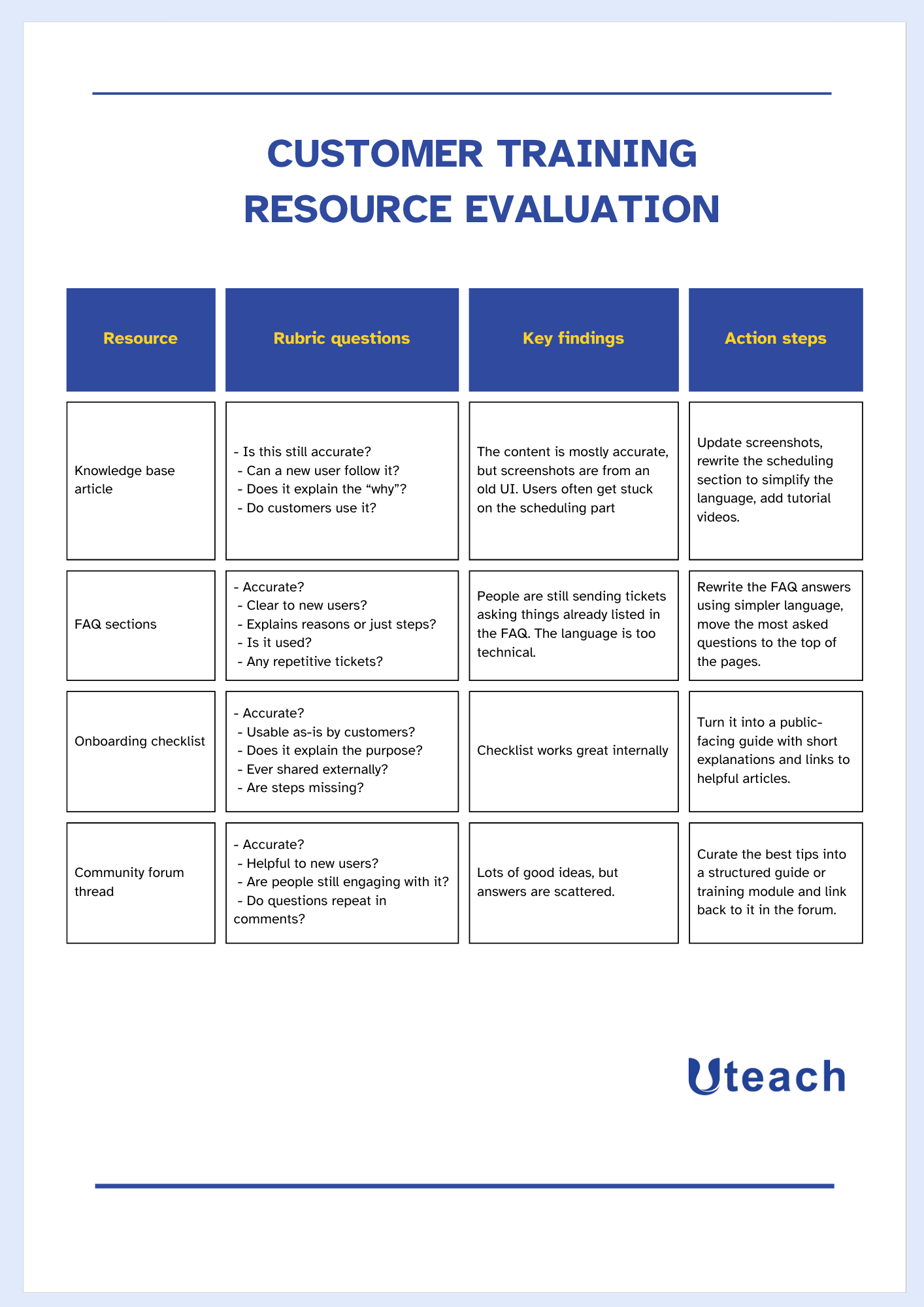
To evaluate those assets, create a rubric with the questions that will guide you through making the decision. Here is what we suggest you consider:
- Is this content still accurate based on our latest product version?
- Is it delivered in a way that someone with no background in the tool can follow?
- Does it explain the why behind the steps?
- Do we see customers actually using this resource?
- Are there gaps where people keep asking the same thing that this resource does not cover?
For each of the resources you evaluate, decide on the action steps. If people have easy access, no questions asked in that regard, you could use it in the training itself.
Otherwise, you would need to update the information, change the delivery format, recreate it to make it comprehensive, etc.
Here is an example of what this might look like if we put it into a table.
Plan the training for each lifecycle stage
Now that you know the type of resources you have and any additional materials you need to create, you can create the training plan. It would be based on which lifecycle stage you target and how you choose to deliver the customer training.
- Onboarding
Typically, the customer training starts with proper onboarding. And you want to make sure your customers have all the necessary knowledge and skills from day one.
Formats for the training to consider | Training resources to consider | What to have in mind |
|
|
|
- Adoption
This is where you foster users to familiarize themselves with as many benefits your business provides, or the tools you provide for them. So, you need best practices and case analyses to show how your products simplify or help with a certain challenge in a way that is unique to your business.
Formats for the training to consider | Training resources to consider | What to have in mind |
|
|
|
- Expansion
If one of your company's goals were to get the customers to explore the upselling opportunities, this is the stage where you can focus on premium features.
Formats for the training to consider | Training resources to consider | What to have in mind |
|
|
|
Set the evaluation methods for the customer training
At this point, you are clear on who you train, how you train, and why you train. Now, the million-dollar question is to what degree the customer training helped you achieve the business goals we set at the beginning.
So to speak, we still need to set ways to measure the customer training results. Depending on what your initial goal was, you can track the metrics such as
- User behaviour changes
- Support ticket volume
- Customer feedback
- Retention and expansion rates
- Course completion and engagement rates.
Also, the feedback you get from your customers would be the best way to understand if you are on the right track with the customer training.
Examples of customer training initiatives
As you could see, much of the strategy depends on your current business goals and what you use the training for. Yet, if you are looking for examples on how you could execute the training strategy, let’s look at models other businesses have adopted.
HubSpot
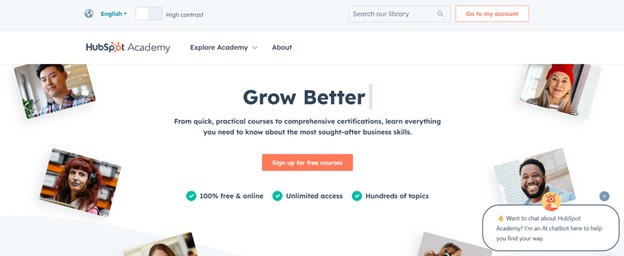
HubSpot Academy courses teach users how to get the most out of HubSpot’s CRM, marketing tools, and the inbound methodology.
The courses cover best practices and key challenges in inbound marketing, sales training, and customer service. Courses often include downloadable resources and quizzes to check the knowledge. The academy also presents certification courses and bootcamps, online and in-person training.
Zapier
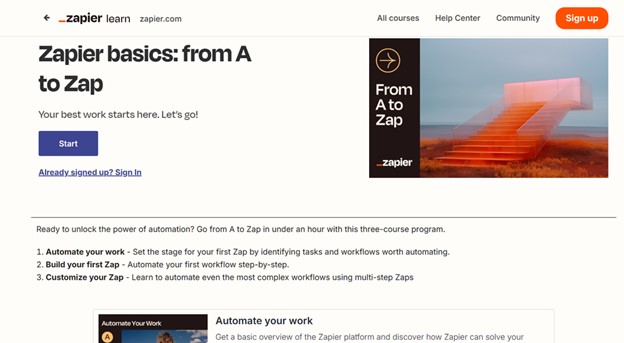
Zapier Learn offers courses on different stages of using Zapier. They named it the A to Zap course, which covers automating, building, and customizing Zaps.
There is an opportunity to filter the course based on levels, such as beginner, intermediate, and advanced. And also, people can find the courses they are looking for by topic categories.
Besides the courses, the community is available for people to check the documentation or ask and respond to others.
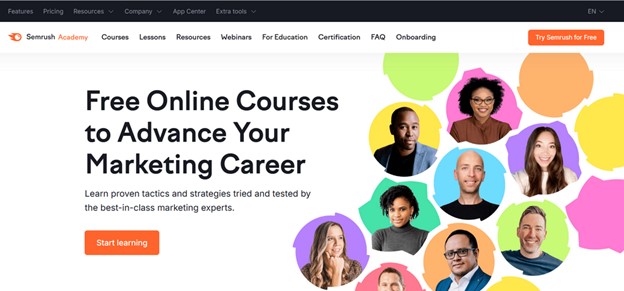
Semrush
Semrush Academy has 90+ courses on SEO, content marketing, social media, PPC, competitive research, AI, business, etc.
Besides online and certification courses, Semrush also offers webinars on the same topics. They have a detailed knowledge base on every Semrush tool, blog articles, YouTube channel, and also Subreddit. Here, people can ask questions about the tools, and others can answer.
FAQ
- When do you know you need to train your customers?
You know it is time to train your customers when they are confused, constantly reaching out to support, or not using your product the way you designed it. If your customer support team keeps getting the same questions over and over again, that is a strong sign that your users are missing some key information.
Another sign is when your product or service has new features, or if it is not completely self-explanatory. Even if it is user-friendly, people still need guidance to get the most out of it. You might also notice that customers are not renewing or are not upgrading to paid plans. In many cases, this is not because they do not like your product. It is because they never learned how to use it properly or how it can help them solve their problem.
Also, if your business is growing and your customer base is becoming more diverse, training helps keep everyone on the same page. What worked when you had 50 users will not work when you have 5,000. A strong training strategy helps you scale without losing that personal touch.
- What are the benefits of customer training?
When your customers understand what they are doing, they reach their goals faster with you. That builds trust and loyalty.
One big benefit of customer training is fewer support tickets. It is obvious that when customers know how to solve basic problems themselves, your support team is not flooded with repeat questions.
Training also increases customer satisfaction. People feel more supported and valued when you give them helpful guides, videos, or live sessions. That often leads to better reviews, stronger word-of-mouth, and long-term relationships.
If you offer paid features, a trained customer is also more likely to upgrade because they understand the value. They are also more likely to renew their subscription, buy more from you, and recommend you to others.
- What is the best LMS for customer training?
If you are looking for a reliable, flexible, and easy-to-use platform for customer training, Uteach is your best choice.
With Uteach, you can:
- Create and deliver training in any format, video, text, quizzes, live sessions, and more
- Offer certificates to show completion or skill mastery
- Track course performance and learner progress with detailed analytics
- Speed up course creation with built-in AI tools
- Build a community around your brand with discussion boards and comments
- Use the built-in CRM to manage your customer relationships from one place
- Customize your brand fully, including a white-label mobile app
- Monetize your training with eCommerce tools
Book a free demo with our specialist to see exactly how Uteach can support your customer training goals.


