
The following guide covers:
How to know if an employee training LMS is best for you?
Best employee training LMS for small and mid-sized organizations
FAQ on the best LMS for training your employees
More than 83% of organizations already use a learning management system (LMS) to train employees. LMS platforms are no longer optional. They have become a standard part of how companies onboard people, develop skills, and keep teams aligned.
The difficult part, though, is choosing the right one.
There are dozens of platforms that claim to support employee training. Many of them promise similar features: course creation, reporting dashboards, automation, integrations, and mobile learning.
To make the decision easier, I spent the past week reviewing and evaluating some of the most widely used LMS platforms for employee training. I focused on solutions that work well for small and mid-sized organizations and looked at them through a few practical criteria, such as:
- ease of course creation and training management
- support for onboarding, compliance, and upskilling programs
- automation and administrative workload reduction
- integrations with HR and business tools
- mobile learning and accessibility
- reporting and analytics for tracking progress
Based on that evaluation, I narrowed the list down to seven LMS platforms that stand out for employee training depending on your goals.
One important note: you will notice that I did not include heavy enterprise-grade systems in this review. If you are evaluating LMS solutions specifically for enterprise-level training programs, it is worth checking our separate guide on enterprise LMS platforms, where we cover those systems in more detail.
How to know if an employee training LMS is best for you?
It goes without saying that the best employee training LMS should be intuitive, align with your goals, and be mobile-friendly. Yet, how do you find and evaluate the key decision points for you?
The answer usually comes down to understanding what role training plays inside your organization. Some companies focus on compliance and certification. Others prioritize onboarding speed, product knowledge, or continuous employee development. The right LMS is the one that supports those priorities without adding operational complexity for your HR or L&D team.
Here are a few factors I recommend paying attention to when evaluating an employee training LMS.
- Compliance and regulatory requirements. If you operate in a regulated industry such as finance, healthcare, or manufacturing, make sure the LMS supports compliance tracking, certification management, and audit-ready reporting.
- Use case for training. The type of training you plan to deliver matters. For sales and product training, look for tools that support interactive learning, role-based learning paths, and quick content updates.
- Integrations with your existing systems. Check whether the platform integrates with HRIS, CRM, communication tools, and video conferencing platforms.
- Mobile learning experience. Many organizations have employees who are not sitting at a desk all day. Retail, hospitality, and field teams especially benefit from mobile access.
- Social and collaborative learning features. Discussion spaces, peer feedback, group activities, and collaborative learning features can significantly increase engagement and knowledge retention.
- Analytics and reporting. Detailed analytics help you track completion rates, engagement levels, and knowledge gaps.
- Scalability. Your training needs will likely grow as your organization grows. Look for an LMS that can support more users, more learning programs, and different types of training without requiring a major migration later.
If you want the full evaluation checklist, I recommend you check out our article on How to Choose the Best LMS.
Best employee training LMS for small and mid-sized organizations
The best employee training LMS depends on what you prioritize in the LMS in the first place. For example, a better mobile learning experience, skill development opportunities, automations, etc.
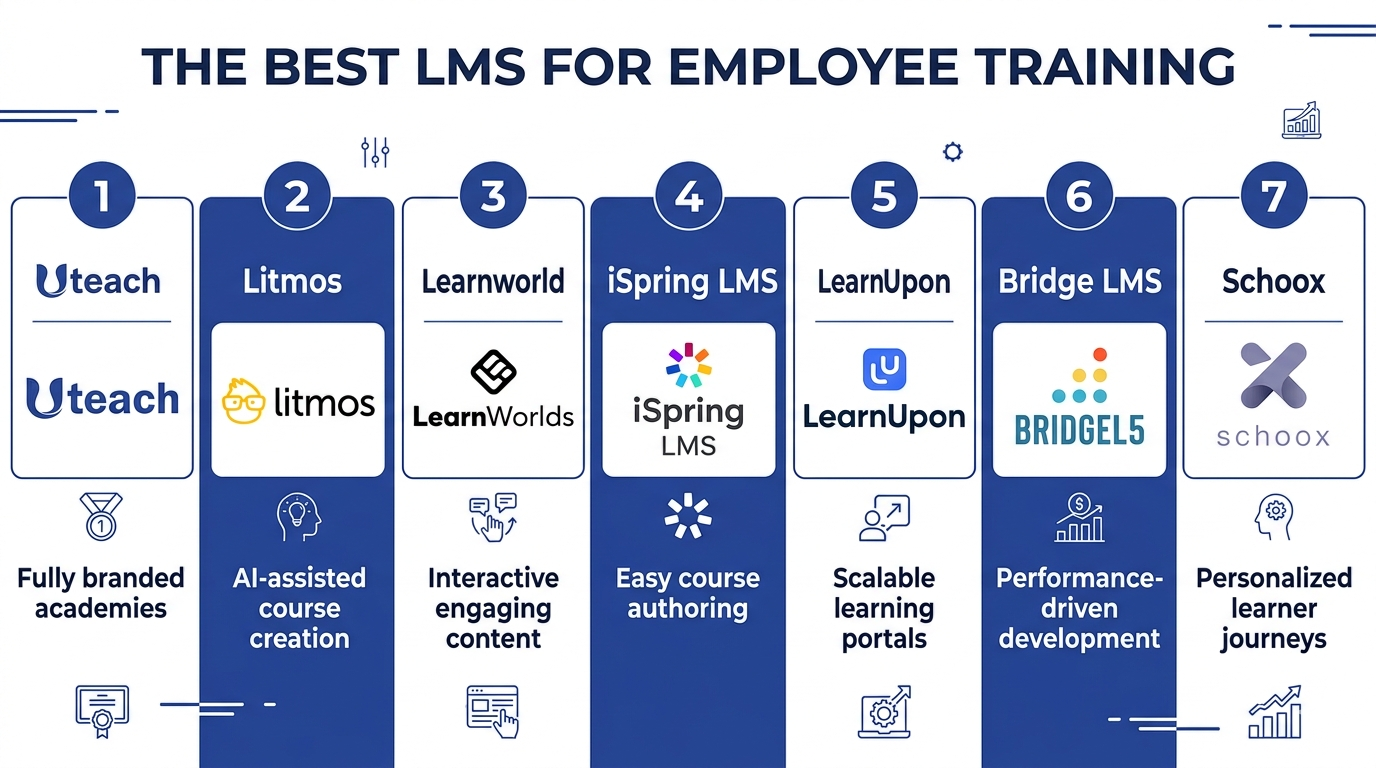
Here is a quick overview of the best LMS I chose for today’s review.
Platform | Why I recommend it for | Key industries | Why choose it |
| Uteach | Building a fully branded internal training academy and automating employee onboarding | Finance, education, retail, hospitality | Mix live workshops and self-paced learning in one journey; automate certificates and onboarding programs |
| Litmos | AI-assisted course creation and learner guidance inside the LMS workflow | Finance, healthcare, manufacturing, technology, construction | AI helps build courses inside the platform; large compliance training course library |
| LearnWorlds | Flexible employee training with interactive content that keeps people engaged | Health, finance | Interactive videos, quizzes, and surveys for engagement; strong white-labeling for internal academies |
| iSpring LMS | Easy course authoring using existing materials and structured training management | Manufacturing, automotive, retail, healthcare | On-the-job training with task checklists; detailed reporting with multiple training reports |
| LearnUpon | Scalable employee training with automation and flexible learning portals | All industries | AI course creation and learning recommendations; automated enrollments, reminders, and certifications |
| Bridge LMS | Performance-driven training tied to employee development and feedback | Healthcare, financial, non-profit, sports, manufacturing | Career development paths for employees; manager-driven feedback and one-on-ones |
| Schoox | Personalized learning journeys and training for frontline employees | Restaurant, hospitality, manufacturing, retail, insurance | AI-driven skill gap analysis and career paths; mobile learning designed for frontline teams |
Uteach
What I recommend it for: Building a fully branded internal training academy and automating employee onboarding
Key industries: Finance, education, retail, hospitality
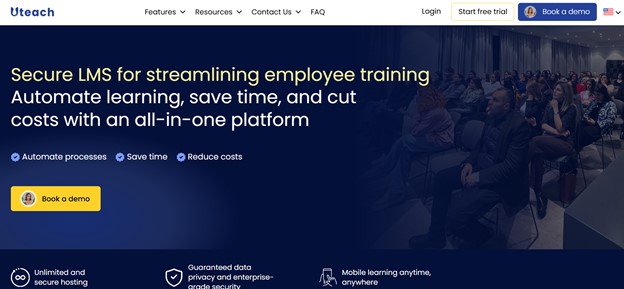
If your goal with an employee training LMS is to centralize everything in one system and keep full control over how training is built and delivered, that is where Uteach fits. It is positioned as an all-in-one platform where you can create structured internal academies, manage live and self-paced training, and track employee progress without patching together multiple tools.
In terms of employee training, it works well for onboarding, upskilling, and cohort-based internal development.
What I like about Uteach as an employee training LMS?
What I like about Uteach is that you can combine different training formats within the same learning journey. That is practical for companies that mix workshops, coaching, and self-paced modules.
Some features that stand out for employee training:
- AI support for course creation. It helps you generate content and structure courses faster, especially if HR builds training internally.
- Automatic certification management. You can issue and track certificates without doing it manually.
- Drip scheduling for structured onboarding and development programs.
- Detailed analytics to track employee progress and completion rates.
- Mobile apps for iOS and Android that make access easier for field teams.
Uteach has helped organizations and academies improve employee training and development in the following ways:
- Onboarding time reduced by 65%
- HR administrative workload cut by 40%
- Learner engagement and course completion rates increased by 45%
What you may NOT like?
- Currently, does not support gamification-based training.
What do other users think?
Most users highlight how intuitive the platform is and how quickly they can launch internal training without heavy technical involvement. They often mention that everything is logically structured and easy to manage, even for non-technical teams.
“We started using Uteach at Munich Ventures for onboarding and employee training—and it exceeded our expectations. The platform makes it incredibly easy to create structured learning paths, upload resources, and track progress. I love that it combines everything in one place: website builder, course management, live sessions, quizzes, certificates, and even automation. It saved us huge amounts of time”.
G2 Reviewer
Also see: Uteach alternatives and review
Litmos
What I recommend it for: AI-assisted course creation and learner guidance built directly into your LMS workflow.
Key industries: Finance, healthcare, manufacturing, technology, and construction.
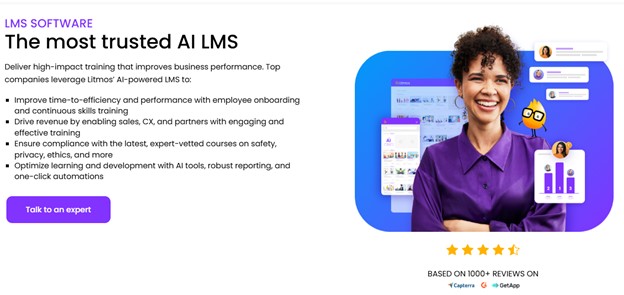
If one of your priorities in an LMS for internal training is for it to be AI-first, that is what you are going to find with Litmos. As for the use case in employee training, Litmos focuses on compliance, onboarding, and employee development. I would most likely consider the platform for compliance training, and I’ll explain why.
What I like about Litmos as an employee training LMS?
When it comes to LMS solutions for employee training and development, I have seen many cases with robust features that are great on paper. But in practice, they just take more time. So, what I like about Litmos is that they support the training in the flow of work.
- An extensive course library, where courses cover compliance, operations, and employee training. What is great is that the topic of compliance is different from country to country, and you can find courses specific to some countries.
- Is a strong content authoring tool as well. You can build courses right inside the platform with their AI tool, which helps you outline and write content. It comes with templates as well, so you can build on an existing structure of the content.
- Gamification-focused experience. You can apply the system of points, badges, and leaderboards. There is an opportunity to set the learning path the employee needs to take. They can see their progress on individual dashboards and understand what is next.
- A mobile app is available for Android and iOS.
Litmos integrates with tools like Zoom and DocuSign and offers a few marketing and payment integrations.
What you may NOT like?
- The reporting functionality is limited and a bit difficult to customize and filter for what you need.
- No integrations with key HR tools.
What do other users think?
Most of the reviews I came across praise Litmos for being intuitive and easy to use. With that being said, the users would like to see more opportunities to customize and easily filter the reports.
“I like the flexibility with the team structure in Litmos. It really helps because at our company, we have specific reporting needs and a chain of command. Litmos allows people to see down their chain of command without having to sort their own data, which is super helpful. Plus, we can give the right permissions at the right spot, making learning delivery more efficient.”
G2 Reviewer
Also see: Litmos alternatives and review
LearnWorlds
What I recommend it for: Flexible employee training with interactive content that keeps people engaged.
Key industries: Health, finance
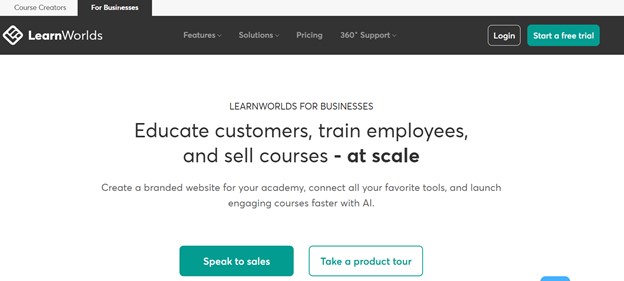
LearnWorlds positions itself as an LMS that blends course building, branded learning portals, and interactive training with AI support.
What I like about LearnWorlds as an employee training LMS?
LearnWorlds supports a bunch of content types and ways to organize learning. They especially highlight features like AI-enhanced course creation, role-based paths, compliance tracking, and multilingual access.
- AI assistance in course building. There are AI tools to help you create course content and templates faster, which can ease the burden if you do not have a dedicated instructional designer.
- Interactive course creation tools. LearnWorlds allows for interactive videos, quizzes, surveys, and SCORM-compliant, self-paced courses that keep employees engaged and improve knowledge retention.
- White labeling for your internal academy. If branding is one of your priorities, then the platform will help you customize your academy to your brand.
The platform offers integrations with mainly marketing, automation, payments, and CRM tools.
What you may NOT like?
- Limited Native HRIS Integrations.
- Users find that the pricing is expensive as the team grows larger
What do other users think?
Users appreciate the high level of white-labeling available, and many of them find that the setup process is easy. However, they find the navigation between the backend and frontend difficult.
“Learnwords is the best value for money if you plan to move your employee training online. It has all the features needed, including a training matrix, for which I was waiting for a while. The interface is very easy to use and very intuitive.”
G2 Reviewer
Also see: LearnWorlds alternatives and review
iSpring LMS
What I recommend it for: Easy course-authoring and management, where learners (employees) become a part of the process
Key industries: manufacturing, automotive, retail, healthcare
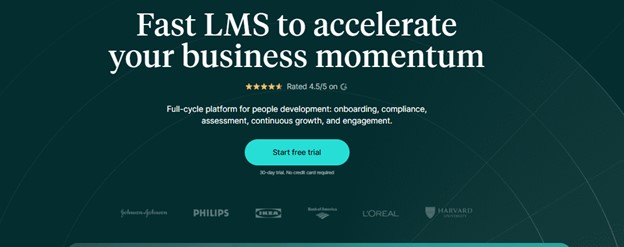
As an employee training LMS, iSpring LMS is great as you can move from a rough idea to a live course easily, using your existing materials. That would especially be helpful for the L&D team.
You can mainly use it for the following employee training goals: sales training, compliance training, onboarding, and product training.
What I like about iSpring as an employee training LMS?
If you are looking for an employee training solution that has built-in authoring, automates compliance, supports mobile learning, and offers strong reporting tools, you may like iSpring, too. What especially stood out to me is the following:
- On-the-job training sessions. OJT offers an experience where the managers can create personalized checklists for the employees and track their progress based on the specific tasks. In that way, you are able to integrate everyday tasks into the learning process. The managers can also share the feedback. Such an experience is available via their mobile app.
- Detailed analytics and reporting. I found more than 20 types of reports you can track with iSpting. They include learners’ progress, learners’ results, department progress, training report, and more.
- Is built around the organization's workflow. The administrative part, where you assign training to a specific employee or a whole department, is easy to manage with the help of branches.
- Helps with performance reviews. You can run the 360-degree surveys and collect feedback to gain an overview of everyone’s strengths and improvement points.
What you may NOT like?
- Basic branding functionality to establish you orgniazation’s brand
- Integrations. As most users mention, they cannot find integrations with the tools they need.
What do other users think?
Reviews from iSpring LMS highlight that course management is easy for administrators and employees. However, they are not happy with the level of customization in terms of training, branding, and reporting.
“iSpring LMS has been a really solid tool for us when it comes to setting up and organizing our onboarding training. The fact that we can easily pull reports, create newsletters, plan development paths, and even run 360-degree evaluations makes the whole experience much more impactful. What I appreciate the most, though, is their customer support.”
G2 Reviewer
Also see: iSpring alternatives and review
LearnUpon
What I recommend it for: Scalable employee training with automated workflows and flexible learning portals.
Key industries: All industries
LearnUpon positions itself as a high-growth platform that moves fast, promising to get your training live twice as quickly as traditional systems. You can not only offer employee training, but also train customers, partners, and members. The employee onboarding processes with LearnUpon cover aspects like onboarding, development, and upskilling.
What I like about LearnUpon as an employee training LMS?
If you need deep automation capabilities for administrative tasks, LearnUpon comes in handy with features to handle almost everything. For example, with Dynamic Rules, you can build filters and criteria to later manage users based on their data.
What is especially helpful when creating your employee training and development programs includes:
- AI assistance in content creation and learning journey management. You can use AI to generate courses, offer course recommendations based on employees’ skills, and attach a smart coach that acts as a personal guide for the employees.
- Engagement opportunities with gamification. There is an opportunity to motivate the learners with elements like levels, badges, activities, and leaderboards.
- Automation opportunities. Enrollment, reminders, certification renewals, and workflows can be automated, so your internal admin team spends less time on administration.
As for the integrations, you can connect with tools such as CRM, HRIS, webinars, sales enablement, ecommerce, and communication.
What you may NOT like?
- Users mention that the gamification is difficult to set up
- Has steep learning curve
What do other users think?
In their reviews of LearnUpon, the users mostly mention that they are happy with the user interface, customer support, and progress tracking capabilities. However, most reviewers think that the customization opportunities are limited.
“I like the ease of use for both admins and learners with LearnUpon LMS. It really makes a difference in reducing admin time and streamlining registration. I appreciate being able to easily communicate with learners, distribute certificates, and collect data. The initial setup, although a lot of work, was made manageable thanks to their Implementation Specialist.”
G2 Reviewer
Also see: LearnUpon alternatives and review
Bridge LMS
What I recommend it for: Performance-driven learning that connects training with employee development conversations.
Key industries: Healthcare, financial, non-profit, sports, and manufacturing
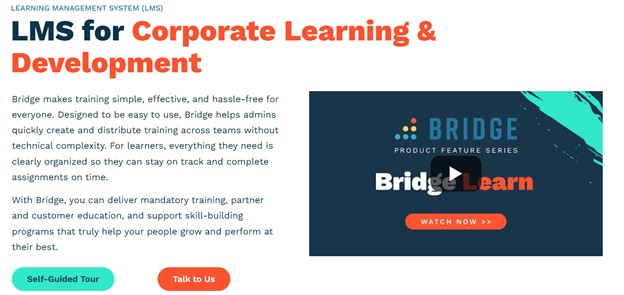
Bridge LMS is less about just delivering courses and more about aligning training with performance and engagement. You can particularly use it for employee development, onboarding training, and manager enablement.
What I like about Bridge LMS as an employee training solution?
One of the things that stood out to me about Bridge LMS is the feedback and development opportunities. So I would mostly consider it for companies that want learning and performance management in the same system.
The experience feels more like HR-driven than content-driven.
- Career development planning. Employees can see growth paths and understand what skills they need to move forward. That is useful if you are building internal mobility programs.
- Manager enablement. Managers are part of the process with tools for one-on-ones and feedback tracking. Training does not live only with HR.
- Content authoring and course management. You can build and manage courses directly in the platform and structure learning programs around roles or teams.
- Built-in employee engagement tools. They offer surveys and feedback features, so you can measure the health of the organization besides the performance.
Bridge can integrate with HRIS systems and other tools, such as video asset management, SSO, communication, and messaging, etc.
What you may NOT like?
- No opportunities for engaging content development within the course-authoring tool
- Users mention that it appears somewhat cumbersome
What do other users think?
Users like the features like SCORM uploads, automated messages, reminders, and assessments. However, they find the learning journeys complicated.
“The platform offers an easy way to collect the learning opportunities hosted by the organization, including scheduling, attendance, reminders, and housing certificates and completion records. It is intuitive and accessible for annual and even quarterly learning opportunities and required training for organizations' HR, Risk, and local regulatory obligations. The ability to compile micro learnings and journeys for staff is a great feature as well.”
G2 Reviewer
Schoox
What I recommend it for: Creating personalized employee learning journeys and making training easy for frontline employees
Key industries: Restaurant, hospitality, manufacturing, retail, insurance
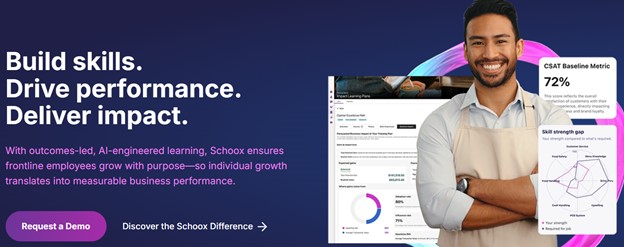
When it comes to employee training and development, Schoox presents itself as a platform for connecting skills, progress, and business results. The platform helps you deliver employee onboarding training, talent development, compliance training, and frontline worker training.
What I like about Schoox as an employee training LMS?
I like that Schoox blends course delivery with tools that help you see and act on skill gaps, paths, and impact. If you are running internal training, it can feel more purposeful because it is tied to roles and progress.
- Social and collaborative learning environment. The learners can earn points for the tasks they do, build a community with groups, and message. Employees can also share notes, react to content, and collaborate on the courses. Besides, the platform supports a distraction-free environment to improve focus and engagement.
- Designed for frontline workers. The platform offers a mobile app for the training to happen offline, which is convenient for in-the-field employees.
- Skill gap programs with the help of AI. You can use AI to validate the employee’s skills, create personalized career paths, and track all that with a dashboard showing each employee’s growth.
As for the integrations, you can connect it with HR management, content management, and productivity tools.
What you may NOT like?
- The reporting functionality is inconsistent, and users mention they need to run multiple reports to get the ones they need.
- Limited content library. You need to connect the integrations for ready-made courses.
What do other users think?
In the reviews, users mostly highlight the ease of use and the support. However, they alos find limitations with the reporting capability.
“Schoox provides a tremendouse about of flexibility. We had a very positive integration experience and love the platform's auto-assignment and reporting features. In addition, if we face any issues, the customer support is fast, and they follow up.”
G2 Reviewer
FAQ on the best LMS for training your employees
- Which LMS is best for employee onboarding and internal academies?
If your goal is to build structured onboarding programs or a fully branded internal academy, Uteach is a strong option. It allows companies to combine live training, workshops, and self-paced modules within the same learning journey while automating certifications and onboarding programs.
- Which LMS is best for compliance training?
For compliance-focused training, Litmos is often considered a strong choice. The platform offers an extensive compliance course library and AI-supported course authoring tools that help organizations build and manage compliance programs more efficiently.
- Which LMS is best for connecting training with employee development?
If you want training to be closely tied to performance and career development, Bridge LMS focuses specifically on that. It supports development plans, manager feedback, and one-on-one conversations as part of the learning process.


