
The following guide covers:
#1 What do you need the LMS for?
#3 What type of content will you deliver?
#4 What is your internal workflow and integration environment?
Make your requirement checklist and join the Uteach demo
I have looked through more LMS platforms than I can count, and the more I looked, the more difficult it seemed to find the one. Especially when most of the LMS offer the key features for the base, yet they name it differently. Sometimes you cannot even tell they are talking about the same feature until you have a look yourself.
In this article, we will discuss all the factors you need to think about when choosing an LMS platform. I will NOT mention that you need a user-friendly solution, or that you need to write down the features you need, or that you can book demos or test some solutions, because that is the obvious.
Instead, we will discuss the key questions that will guide you towards creating the decision tree and narrowing down your LMS choices. Before we go deeper into each factor, here is a checklist of key questions for choosing the right LMS for you.
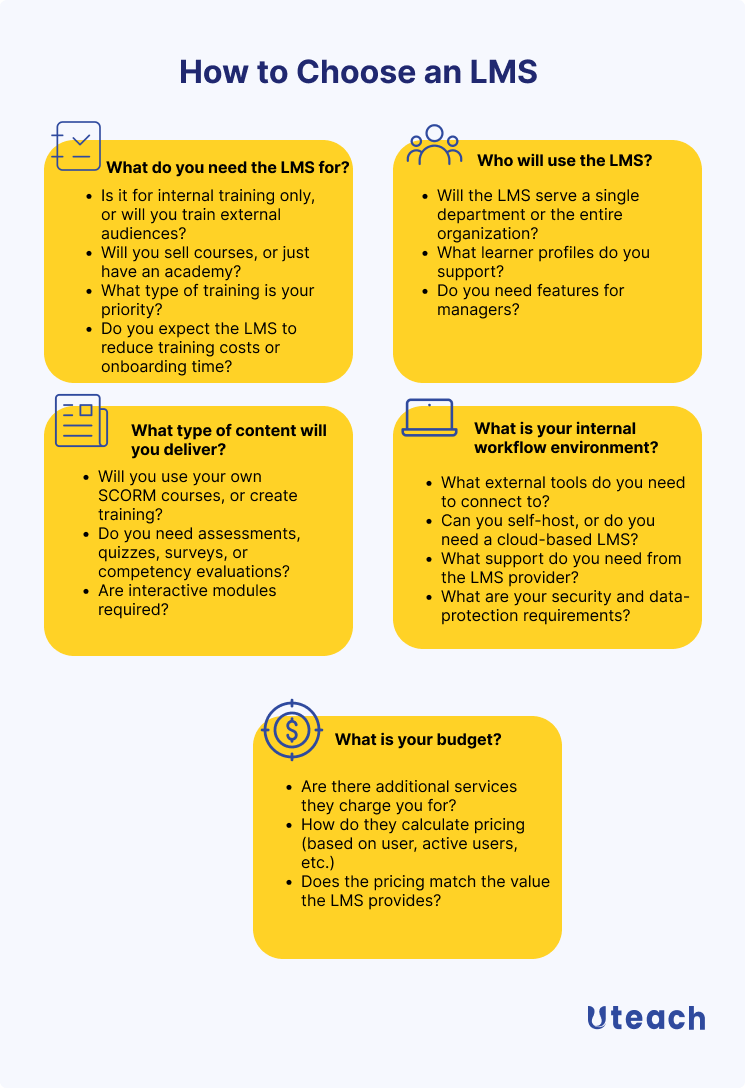
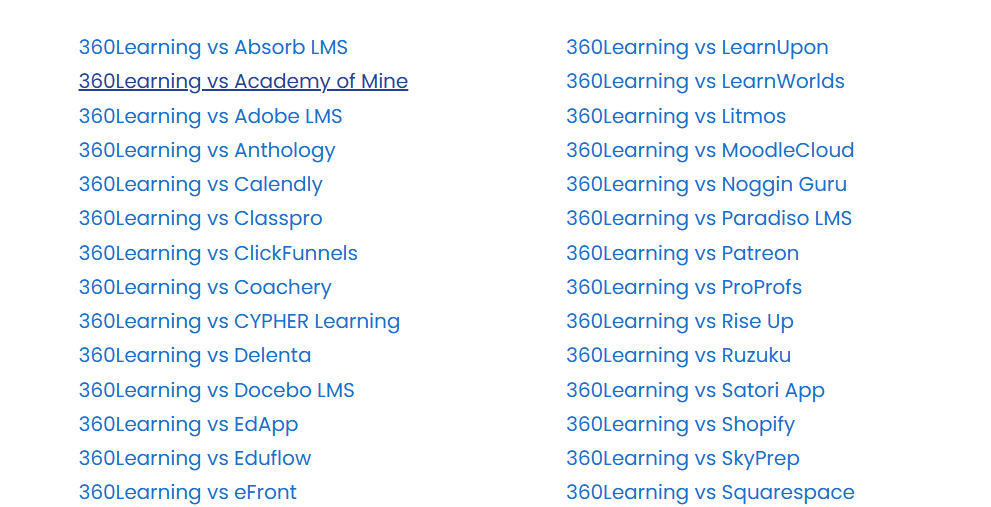
After you find answers to all those questions and write down your organization’s requirements for the LMS, you will need to compare and see which LMS solution is worth considering. In case you want to see how some LMS platforms compare, Uteach has created a comprehensive resource. On the comparison page, you can pick your favorites among 50+ platforms available and see which option checks your requirement list.
#1 What do you need the LMS for?
This is the most obvious question, but it is usually the one that people rush through. LMS platforms arrive with all sorts of bells and whistles, and if you do not anchor them to a specific goal, the price tag will not make much sense later. So before you even start comparing features, decide what business problem the LMS must solve.
- Is it for internal training only, or will you train external audiences?
If your goal is to train only your employees, you will care more about simple access, clean reporting, and smooth onboarding flows. You want people to log in easily, complete their compliance courses, and move on with their work. That is it.
But if you train customers or partners, the access level and management changes. So, you want to make sure your LMS supports all that.
Related: 10 Best Customer Training LMS Reviewed
- Will you sell courses, or just have an academy?
The thing is, most corporate LMS platforms are not built for eCommerce. So, if you are planning to sell training (to your customers, or partners, per se), make sure the LMS supports payments or integrates with your payment provider.
- What type of training is your priority?
Different training goals highlight different features in an LMS. If onboarding is your main concern, you want clear learning paths, reminders, and a way to automate who gets what course.
But if compliance is the priority, you will care more about tracking, certificates, and reminders. If you are looking to upskill your workforce, maybe you want an LMS that offers ready-made courses for your industry.
- Do you expect the LMS to reduce training costs or onboarding time?
Depending on what you are after, your feature requirement list changes. Because if you want lower training costs, you prioritize platforms that have ready-made courses and allow you reuse content. And if you need to reduce the onboarding time, guiding the learners is more of a priority.
Related: Onboarding vs Training. Differences, Definitions, and Examples
Quick takeaways
- Training internal staff means you need simplicity, automation, and clean reporting.
- Training customers or partners means you need branding, better UX, and easier account management.
- Selling courses means you absolutely need e-commerce or integrations that actually work.
#2 Who will use the LMS?
Obviously, you want an LMS that serves your users’ needs. By this, I mean you have to consider your user groups, and why not, understand their preferences.
- Will the LMS serve a single department or the entire organization?
If the LMS is for an entire organization that trains customers, partners, and employees, then it is better to choose an LMS that supports multiple portals and branches.
At this stage, you should not only consider your current goals, but also your long-term company goals. Why? Because what works for a hundred people will not automatically work for thousands.
So, you also need to make sure that your LMS platform will scale with you.
- What learner profiles do you support?
What we usually see happen is that the working environment has a lot to do with the way you conduct the training. For example, office staff usually learn in front of a laptop. Field workers might have five minutes on their phone between tasks. Contractors take compliance training once or twice a year. These groups do not behave the same way, so they do not need the same LMS experience.
Besides the learner profile, the demographics are important, too. Let’s suppose most of your learners are Gen Z. The younger generation now prefers a mobile learning experience. Given that
- 67% of Gen Z prefer personalized learning experiences
- 88% of Gen Z prefer collaborative work
You would choose an LMS solution that supports mobile learning and social learning.
Do you need features for managers?
Do not forget to consider your organizational chart and who is involved in the training delivery and tracking process. Each user role has different permissions and shall access different data. So, make sure that your LMS platform supports the user roles you need.
Quick takeaways
- One department can live with a tool built for their workflow. A whole organization needs something universal.
- Match the LMS to your learner profiles. Office staff, field workers, and contractors do not learn in the same way.
- Consider user roles.
- Pick a platform that fits your team’s learning style, whether that means social learning, short lessons, or mobile access.
#3 What type of content will you deliver?
- Will you use your own SCORM courses, or create training?
The choice of your LMS platform also largely depends on how you plan to deliver the training.
Check what content you already have. If you have a library of SCORM courses, you need an LMS that can handle SCORM. But if you plan to create your training from scratch, pay attention to whether the LMS includes a built-in authoring tool.
Notice that some LMS solutions, such as Uteach, also offer an AI assistant to help you structure the course. This would save you a great deal of time if your business designs its own courses.
Another thing to consider is that some LMS solutions offer a library of ready-made courses. Let’s say your main priority is to run compliance training. In this case, you would need to check if the LMS you are considering includes compliance courses for your specific industry in its library.
But to keep it simple, the most important part is for your LMS to have an easy-to-use course builder, so you can upload your own content in any format and make your training engaging.
- Do you need assessments, quizzes, surveys, or competency evaluations?
If you are in a highly-regulated industry, compliance and tracking the results of the training become crucial.
In this case, you need an LMS platform that
- Automates the recertification process. When your employees’ certification expires, they get a notification to resume the training and update their certificate. In their turn, the managers can keep track of the whole process.
- Allows you create various quizzes and assessments. With Uteach, you can create multimedia quizzes. The quiz report depicts the number of right/wrong answers, status, duration, source, questions, and much more.
- Allows you build forms, in case you need to run evaluations with custom surveys.
- Are interactive modules required?
Interactive modules are not always necessary. If your training involves decision-making, real-life scenarios, or step-by-step processes, static content will not be enough. But if your training does not require them, skip this question.
Quick takeaways
- If you already use SCORM content, SCORM support is important for you.
- If you build courses in-house, built-in authoring tools and AI assistance save you significant time.
- Course libraries are useful only when they match your industry and training goals.
- Regulated industries need strong assessment, recertification, and reporting capabilities.
- Interactive modules should support real training needs
#4 What is your internal workflow and integration environment?
- What external tools do you need to connect to?
The next factor you shall consider when choosing the LMS for your business is how it matches with your current workflows. In the sense that you do not have to find a workaround.
At this stage, reflect on your training delivery process. More specifically, who assigns courses? Who approves them? Who tracks completion? Plus all the mini steps involved in the process and the tools you use:
- HR systems for employee data.
- Communication tools.
- Video tools for live training.
- Payment providers, if you sell courses.
- Analytical tools.
Write down the ones that matter for you, so that you can check with your LMS provider. Also, ask which integrations are native, which are supported through third parties, and which require custom work.
- Can you self-host, or do you need a cloud-based LMS?
A cloud-based LMS is hosted by the provider. It is faster to launch, easier to maintain, and updates happen automatically. It does not require installation on your organization’s computers or local servers.
A self-hosted or on-premise LMS gives you more control over data and customization, but it requires internal technical resources to maintain, secure, and update the system. If your company has specific workflow requirements, then this would be your option.
Related: Hosted LMS [Types, Differences, Best Solutions’ Reviews]
- What support do you need from the LMS provider?
The LMS solutions you are considering right now might technically be one of the best. But what really matters is the support you receive on your journey with them. With an LMS like Uteach, you get a partner-partner relationship and not a business-client relationship.
Ask your future LMS provider what kind of support they offer, such as via email, live chats, onboarding assistance, a dedicated account manager, etc.
- What are your security and data-protection requirements?
The features you need from the LMS provider are more or less easy to find out. But the security is no less important.
Check where data is stored, how access is controlled, and whether the LMS complies with relevant data protection regulations. Also, check how permissions are handled so learners, managers, and admins only see what they are supposed to see. You may also want to assess whether the LMS integrates with or supports an intrusion prevention and detection system to proactively monitor for unauthorized access attempts.
Quick takeaways
- Choose an LMS that matches how training is assigned, tracked, and managed today.
- Make sure it integrates with the tools your business already uses.
- Cloud-based LMS platforms are easier to manage. On-premise makes sense only with specific requirements.
- Support quality affects adoption more than most features.
- Security and data protection shall be in the list of your requirements.
#5 What is your budget?
Now that you have written down all the factors and answers to these questions, look at your budget and the LMS pricing options. Make sure that
- Your provider is transparent about their pricing.
- You are aware that there are additional services you shall pay separately (for example, academy setup, migration, academy design, add-ons, etc.).
- You pay attention on how the platform charges, such as per user, per active user. Or maybe they come with commissions.
Make your requirement checklist and join the Uteach demo
If you already have your requirement checklist and found answers to all these questions, now is the perfect time to put it into practice.
Book a demo with Uteach’s specialists, who will guide you through the whole process, answer all your questions regarding the LMS, and help you consider whether Uteach is the perfect match for your organization.


